On a nuclear new build, the schedule drives the cost.
The schedule assumptions set before construction are carried for decades. nPlan tests them against how 780,000+ real projects actually performed, and gives owners an independent view their board can rely on.
See why Sizewell C chose nPlan
We're building an incredibly complex project and we need a better way to deliver it. AI offers us this opportunity, to see things we can't see.
Carolyn le Roux, PMO Director, Sizewell C
Used by nuclear and energy owners






Where nPlan changes the outcome of the project
Testing assumptions on delivery early enables teams to see risks sooner, and make better decisions about how to execute the project.
nPlan already works across nuclear: with Sizewell C on a Nuclear New Build, Westinghouse on a new fuel facility, and Sellafield on major projects at its decommssioning site.
780,000+
project schedules behind every nPlan forecast, so each one is tested against how comparable work actually performed.
Test the business case before you commit to it
Every investment case rests on schedule assumptions. nPlan forecasts each activity against how comparable work actually performed, so the case your board approves has already been challenged.

Westinghouse chose nPlan to give its board and shareholders an independent, probabilistic view of a new nuclear fuel facility’s schedule ahead of the investment decision.
Know what each option costs in time before you choose
Compare sequencing and milestone strategies on the same evidence, and see the time and risk each one carries.

Sizewell C demonstrated the value of accelerating a milestone, with the potential to save a year on the project’s outcome.
Hold every bid and contractor schedule to the same standard
Compare competing bids side by side, then keep the same independent view once contracts are awarded. Opportunities show up as clearly as threats.

Sellafield chose nPlan to bring independent evidence to its supply-chain conversations and to the updates its project teams take to senior leadership.
Find the risks that matter while there is still time to act
In a schedule of tens of thousands of activities, the risks that drive delay are rarely the obvious ones. nPlan ranks them by how much delay they could cause, so the team can deal with the most serious first.

“Using data from thousands of other projects helps highlight areas we (as a project team) may have overlooked.” LNG Canada focused on the riskiest 0.5% of activities identified by nPlan and took action to mitigate 150 days of delay.
Arpit Desai, Project Controls Director, LNG Canada · Read the case study
How nPlan’s technology works
The root cause of the problem
Complex schedules
Human bias
Missed risks
Higher costs and a weaker business case
How nPlan tackles the problem
Our data
780,000+
past project schedules
2.5m+
years of past performance
32,000+
lessons learned
12,000+
standards, procedures and regulations
1,000+
risk registers
Predictive AI
Trained on how long past projects actually took, our machine learning models answer three questions:
Generative AI
A construction and engineering large language model and a schedule development model, which power:
Barry
nPlan’s AI agent, which answers questions about your project and produces reports
Schedule Studio
Turns scope documents into detailed schedules
Schedule Optimisation
Generates options for bringing key milestones forward
How nPlan compares to traditional approaches

nPlan works alongside your existing risk process, running on every schedule update and bringing data from past projects into every risk review.
Why Sizewell C chose nPlan
Sizewell C is building a £38 billion new nuclear power station in the UK. It first used nPlan before its final investment decision, as an independent point of comparison for its business case. Today it uses nPlan as an independent check on its schedule, alongside its existing methods.
“It provides the assurance from the inputs before we get to the outputs… Have we missed anything? That’s the last thing that we want to do.”
Tommy Clarke, Head of Programme Controls, Sizewell C
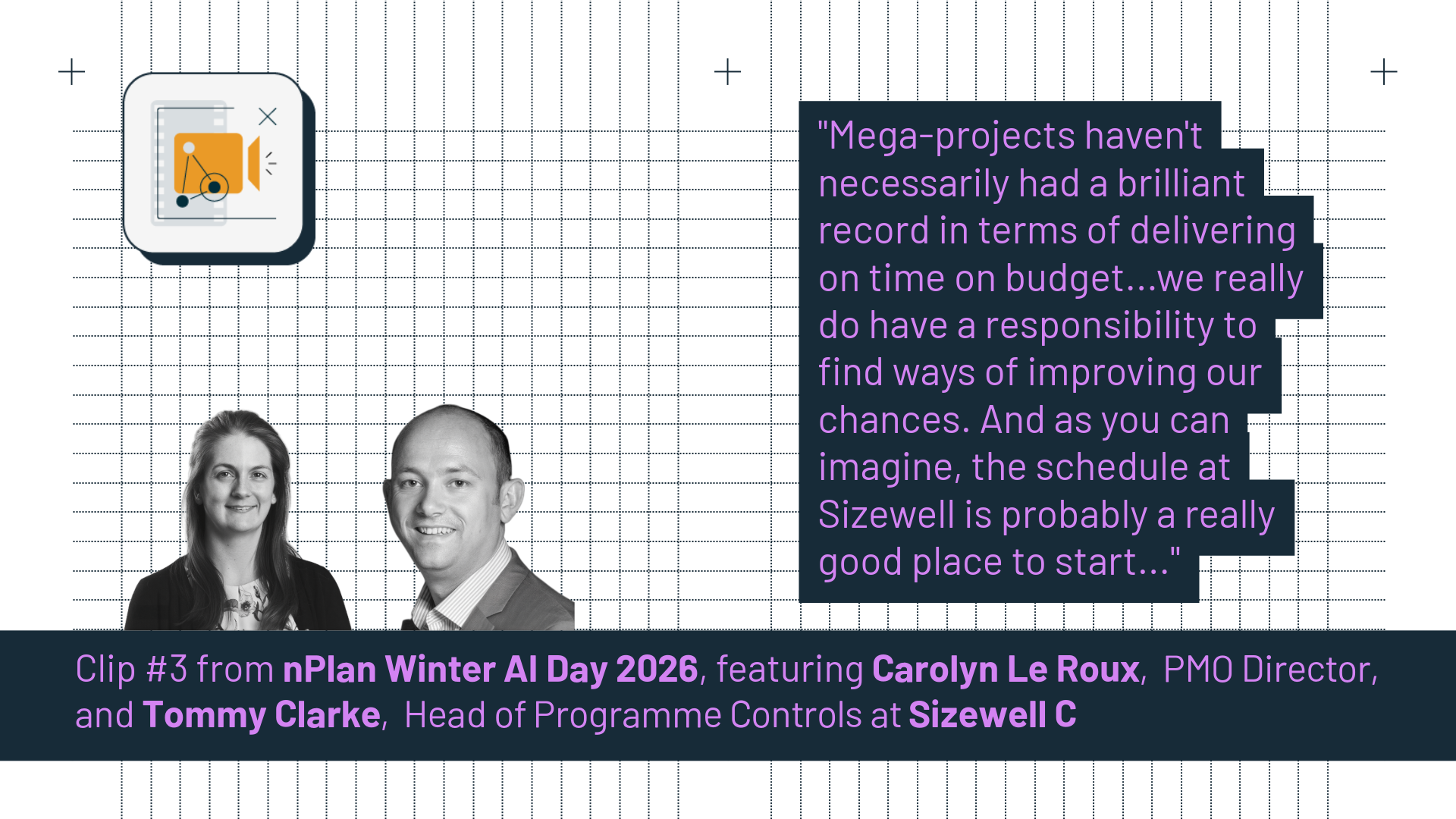
What’s in this clip · 4 min
Carolyn le Roux, PMO Director, explains why Sizewell C started with the schedule: it drives cost, and the team has a responsibility to improve its chances of delivering. She describes choosing nPlan after speaking with other major clients. Tommy Clarke, Head of Programme Controls, explains how nPlan gives them an independent data set to compare against their existing risk methods, and how they use it to test the inputs before anything reaches the board.
Three things Sizewell C was looking for, and found in nPlan.
01
Unbiased, independent forecasts
A second, independent data set to set against Sizewell C’s existing methods. Where the two agree, confidence goes up. Where they don’t, the team knows where to look.
“It gives us an extra data set… to compare against our other risk assessment methodologies, and we can assess whether we’ve got a convergence or divergence.”
Tommy Clarke, Head of Programme Controls, Sizewell C
02
Confidence at board level
Sizewell C tests the inputs to its schedule before the outputs reach the board.
“It provides the assurance from the inputs before we get to the outputs… Have we missed anything? That’s the last thing that we want to do.”
Tommy Clarke, Head of Programme Controls, Sizewell C
03
The ability to play out scenarios
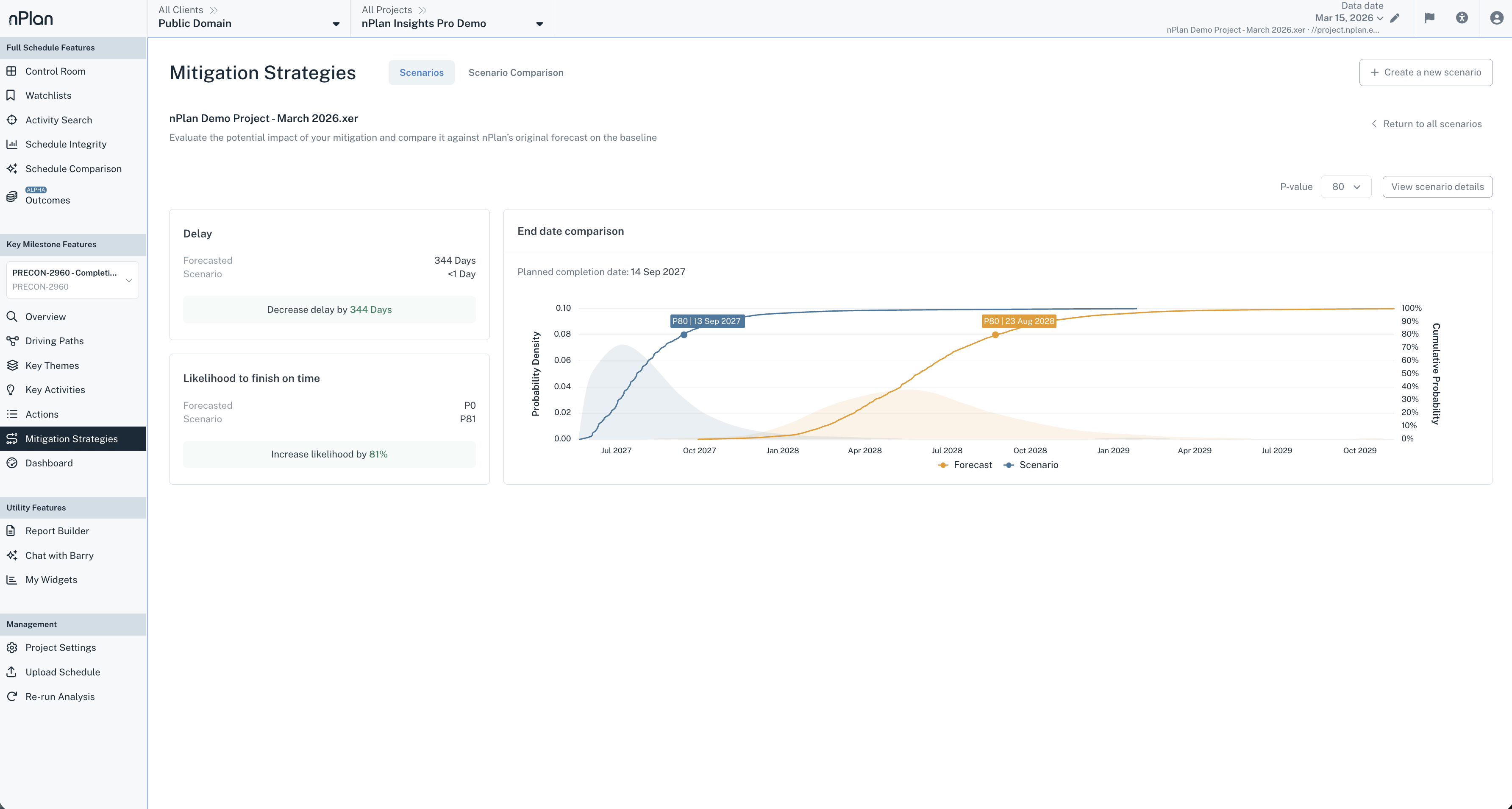
Sizewell C demonstrated the value of accelerating a milestone, with the potential to save a year on the project’s outcome.
Scenario comparison
No surprises
Boards can live with planned risk. What they won’t accept is a shock they had no chance to challenge. Credible forecasts, early, give leadership time to think and act.
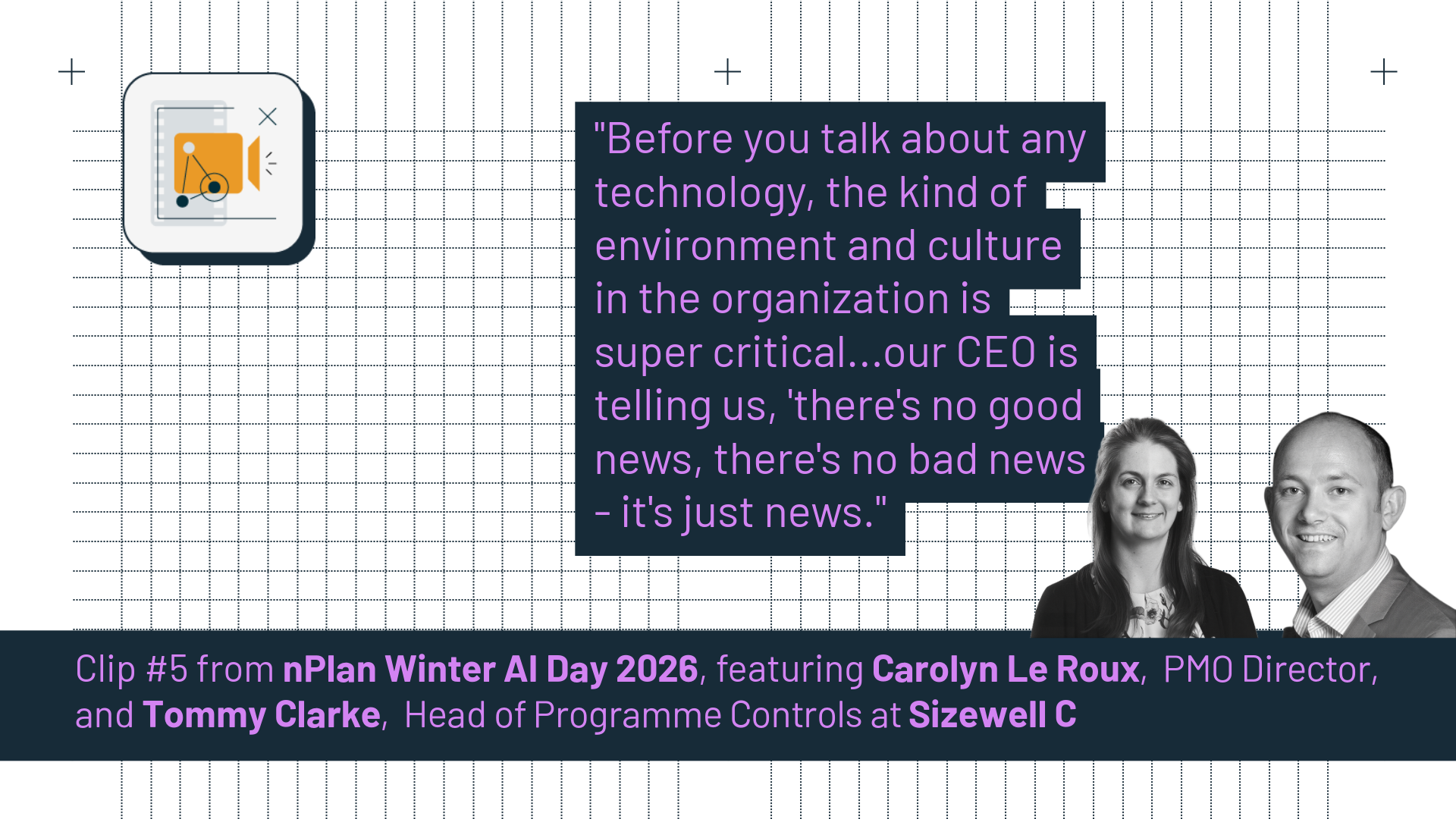
What’s in this clip
Carolyn le Roux, PMO Director, describes a leadership culture at Sizewell C where there is no good news or bad news, only news. Tommy Clarke, Head of Programme Controls, explains what boards object to: not risk itself, but surprises that better information could have prevented, and why credible options early give leadership time to make the right call.
What the evidence looks like
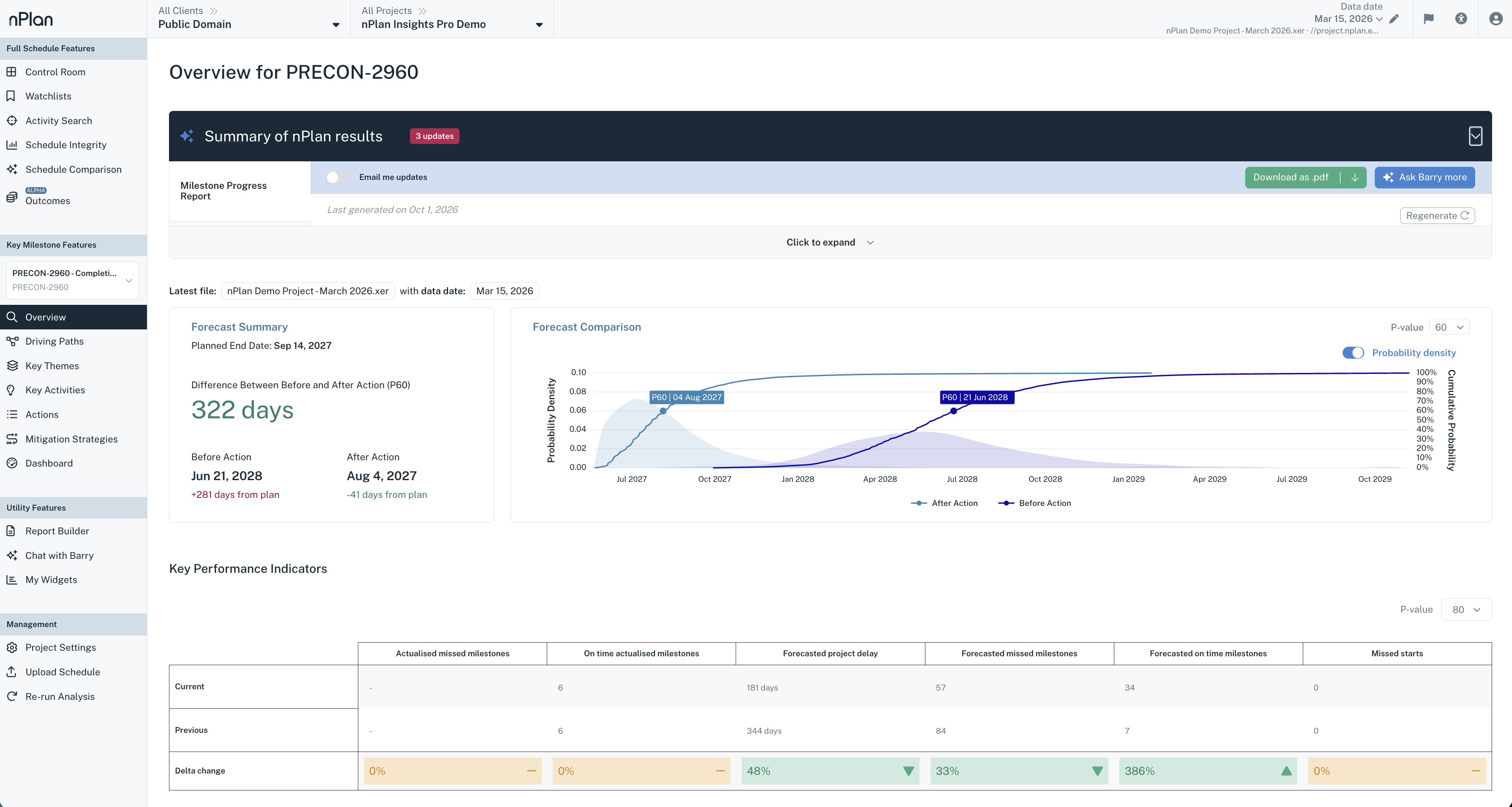
Forecast and risk evidence for your schedule
Insights Pro forecasts every activity against how comparable work actually performed.
A forecast the board can rely on
Every milestone shown as a range of likely dates with a confidence level, so investment decisions rest on evidence, not a single date.

The risks a team may have overlooked
The activities most likely to drive delay, ranked, including the ones that aren’t obvious from the schedule.
Play out scenarios before you decide
See how a change would move the forecast, side by side with the current plan.
A starting schedule before one exists
Schedule Studio turns scope documents into a detailed, logic-linked schedule, grounded in 780,000+ past project schedules.
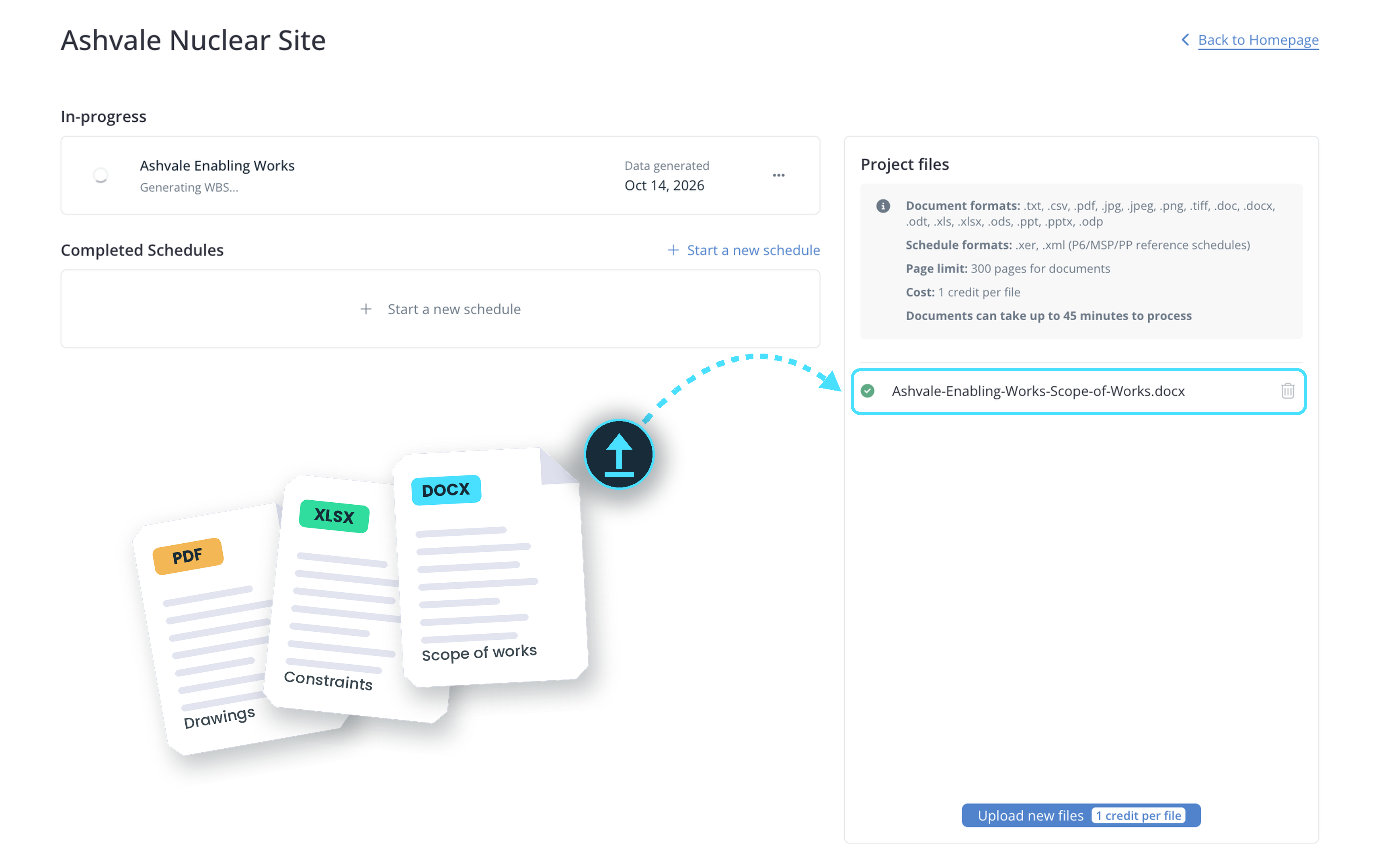
Start from the documents you already have
Upload scope documents, briefs or requirements, and Schedule Studio reads them the way a planner would before it builds the schedule.
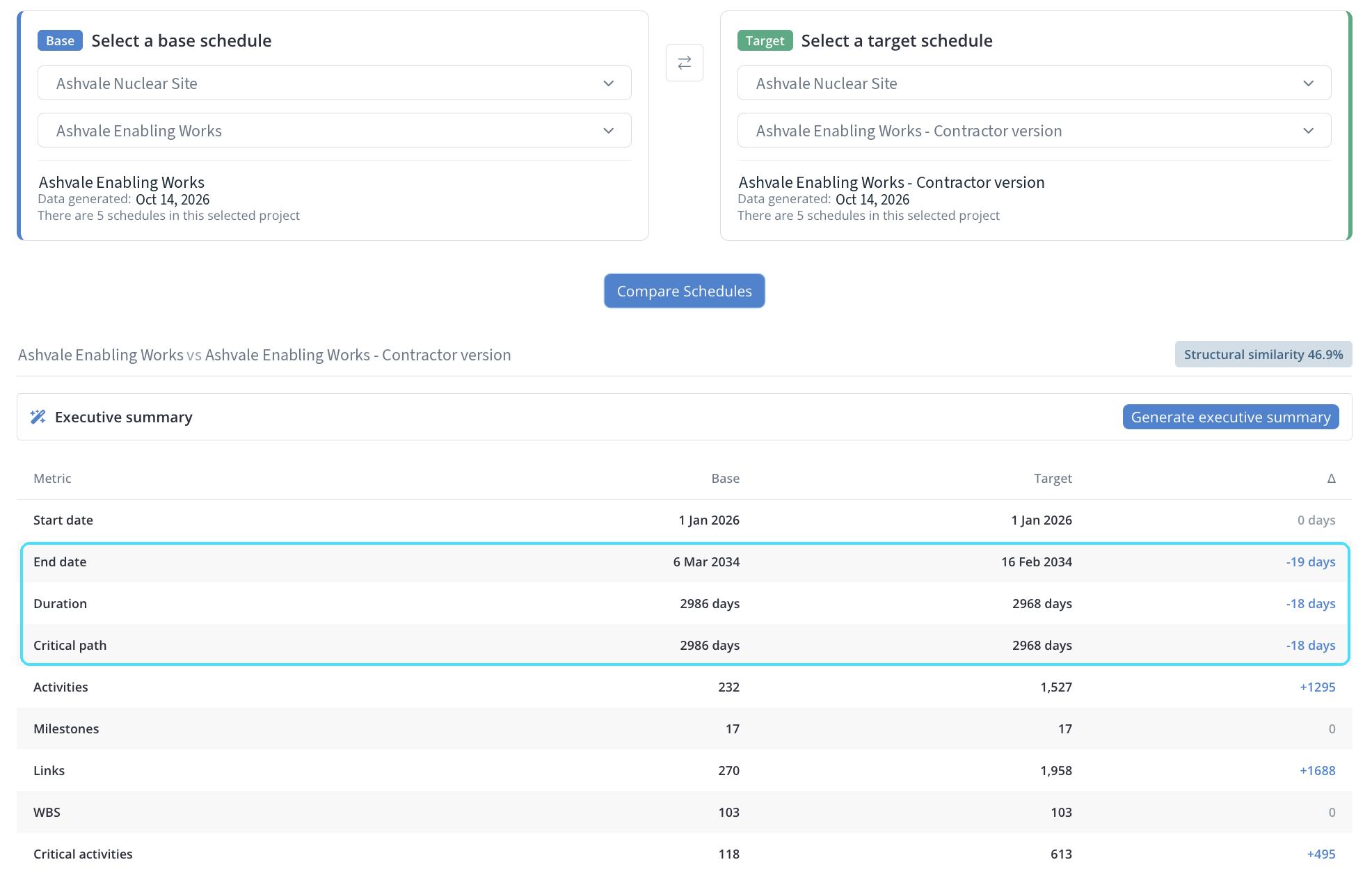
An independent schedule of your own
Build a schedule from the same scope documents your contractors work from, then compare it with their programme: end dates, critical path and the activities that moved.
Keep pace as the scope changes
Describe a change in plain language and see how the schedule would change, with every edit shown before you accept it.
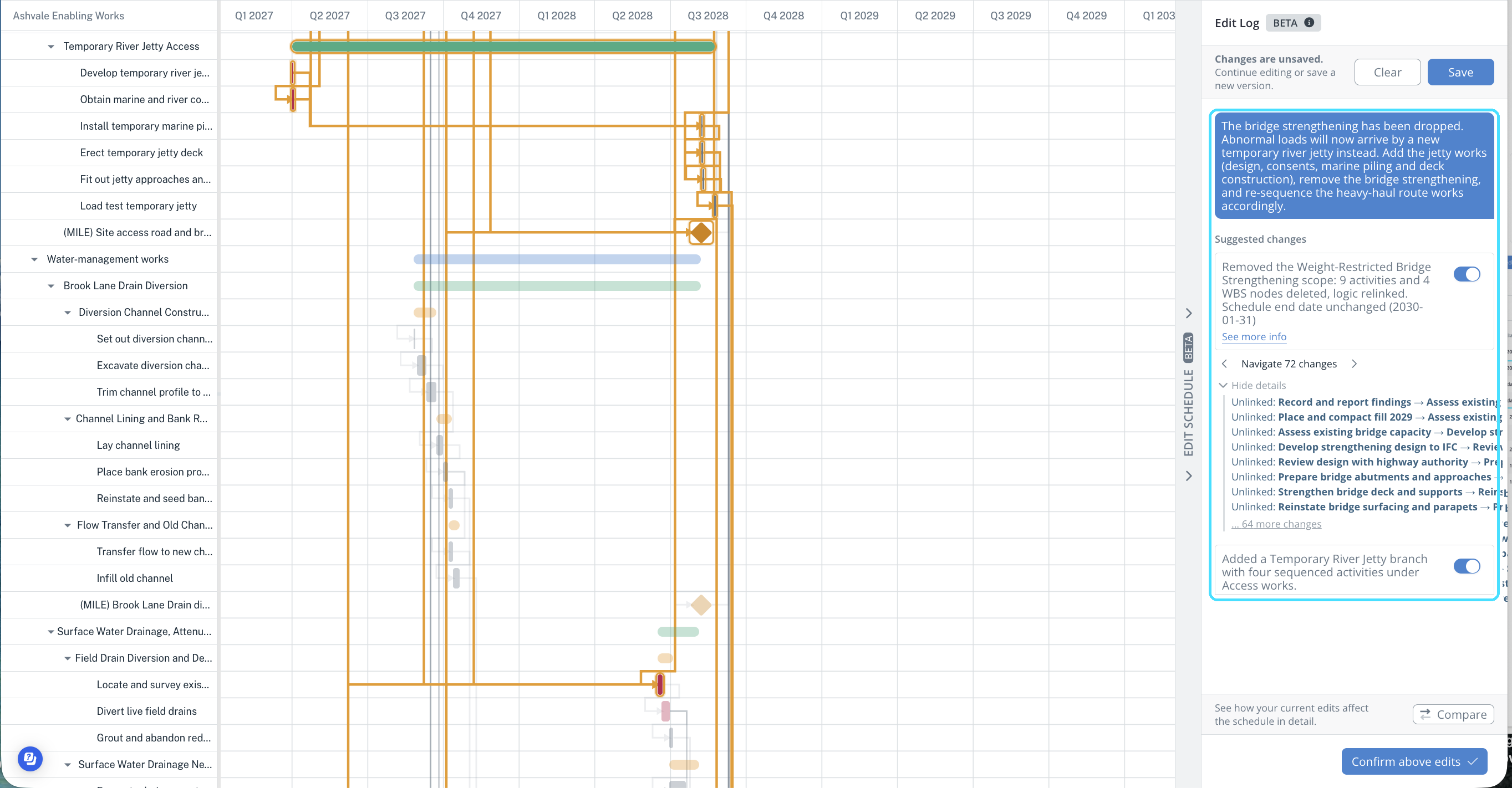
Exports directly to Primavera P6 and MS Project.
Further reading
The thinking behind the evidence
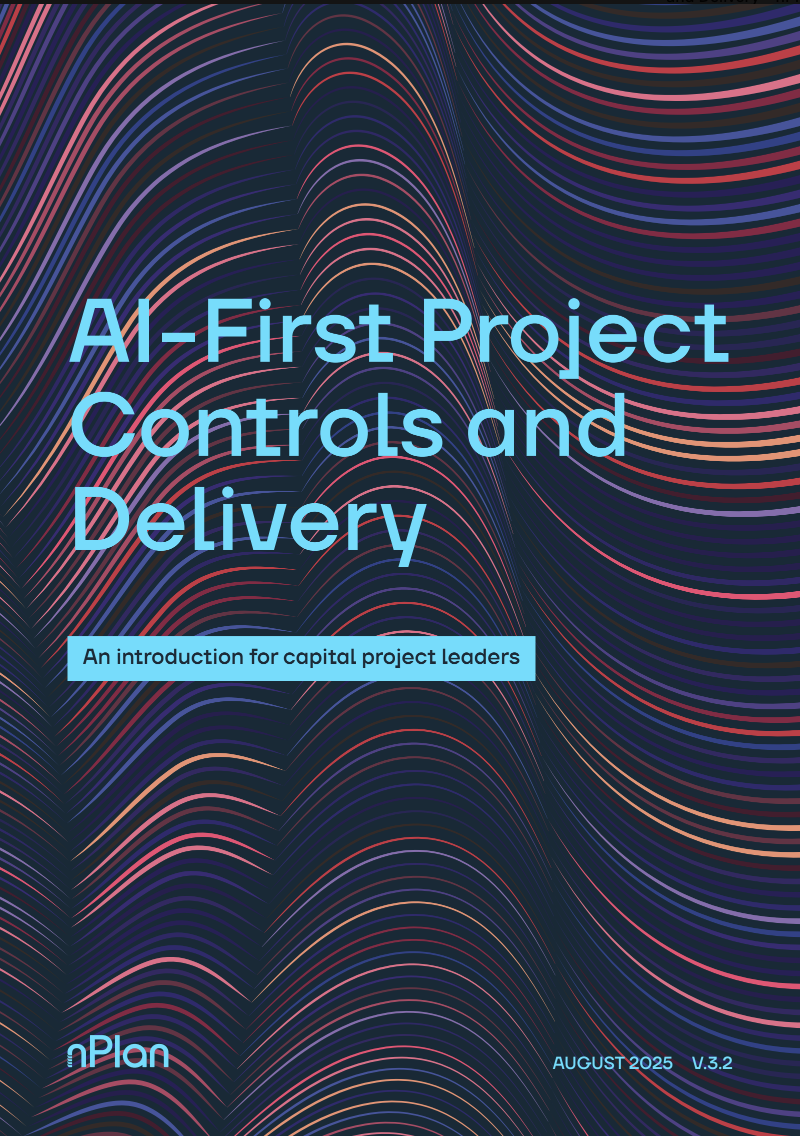
AI-First Project Controls and Delivery
nPlan’s guide to what changes when project controls are built on evidence, and where to start.
How LNG Canada identified around 150 days of avoidable delay by focusing on its riskiest activities.
How AI-first teams tackle risk before it becomes an issue.
How they give executives, regulators and governance bodies a traceable view of risk.
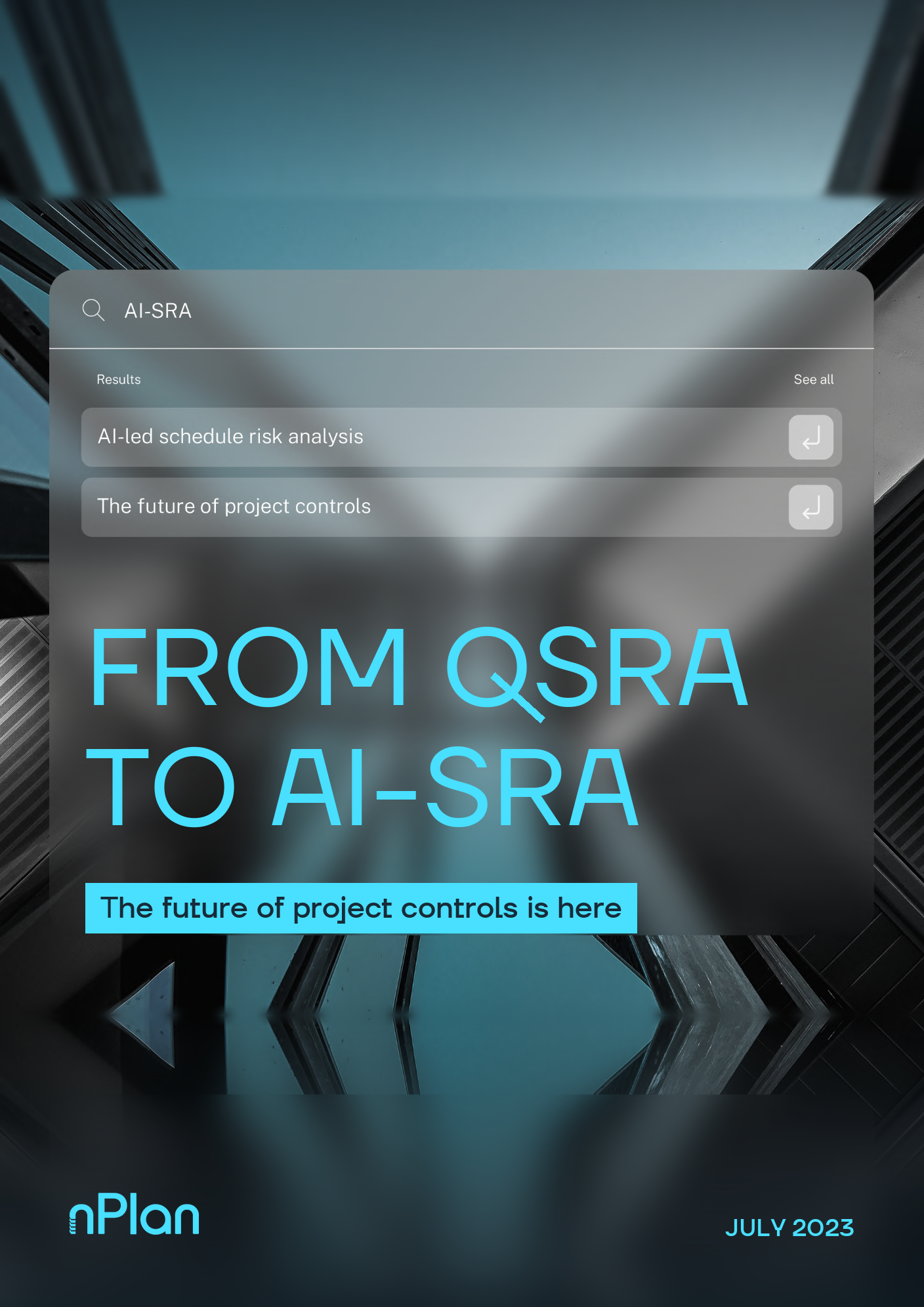
From QSRA to AI-SRA
nPlan’s guide to AI-led schedule risk analysis: what it is, how it works, and how teams put it into practice.
Why the strengths of QSRA, bringing stakeholders together and probabilistic thinking, still matter.
How AI calculates uncertainty from thousands of past projects, at full activity detail.
How teams spend more time mitigating risk and less time identifying it.