
A COLLABORATION BETWEEN

&

How it works

Generate a first draft from your scope documents, expand and refine it within the tool, then export directly to Primavera P6 or MS Project.

Schedule Studio leverages GraphGen, nPlan's world-first generative AI model specifically designed and trained to understand and create construction schedules.

0

Tender and bid planning

Tender and bid planning

Generate a credible, structured schedule quickly from limited information - so your team can submit with confidence without weeks of manual work.

0

Early stage schedule development

Early stage schedule development

Build a detailed first draft before detailed planning begins. Give your team a solid foundation to refine, rather than starting from a blank page.

0

Feasibility and scenario planning
Feasibility and scenario planning

Demonstrate whether work can be completed within a given timeframe, without the time and resource of building a full schedule from scratch.

0

Entering a new sector or project type

Entering a new sector or project type

Bidding on a project type your team hasn’t scheduled before? Schedule Studio gives you a credible starting point, so you can compete with confidence outside your core expertise.

Tender and bid planning
Early stage schedule development
Feasibility and scenario planning
Entering a new sector or project type
0

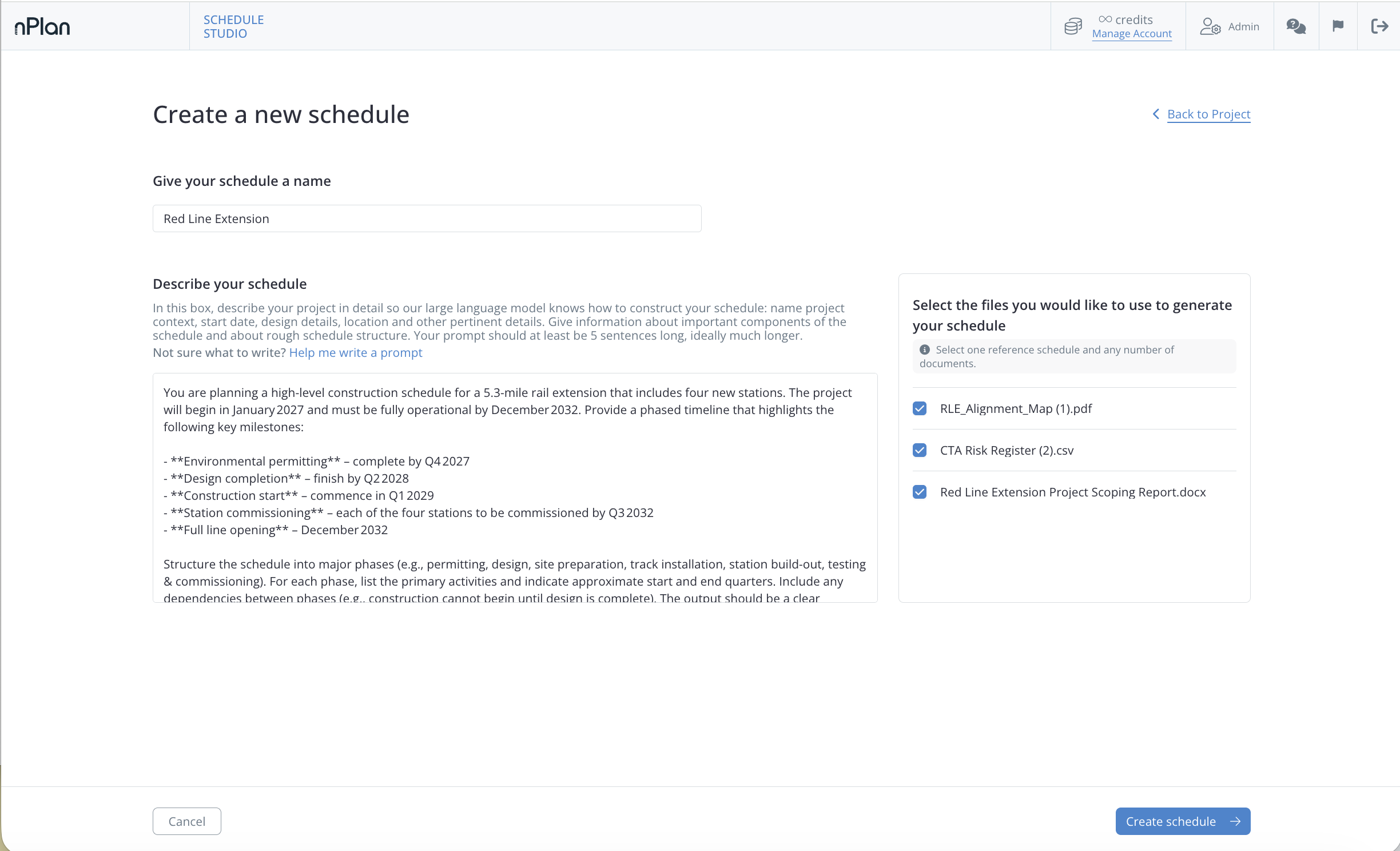
Upload any documents related to your project

0

Describe your project - or let our AI prompt assistant do it for you

0

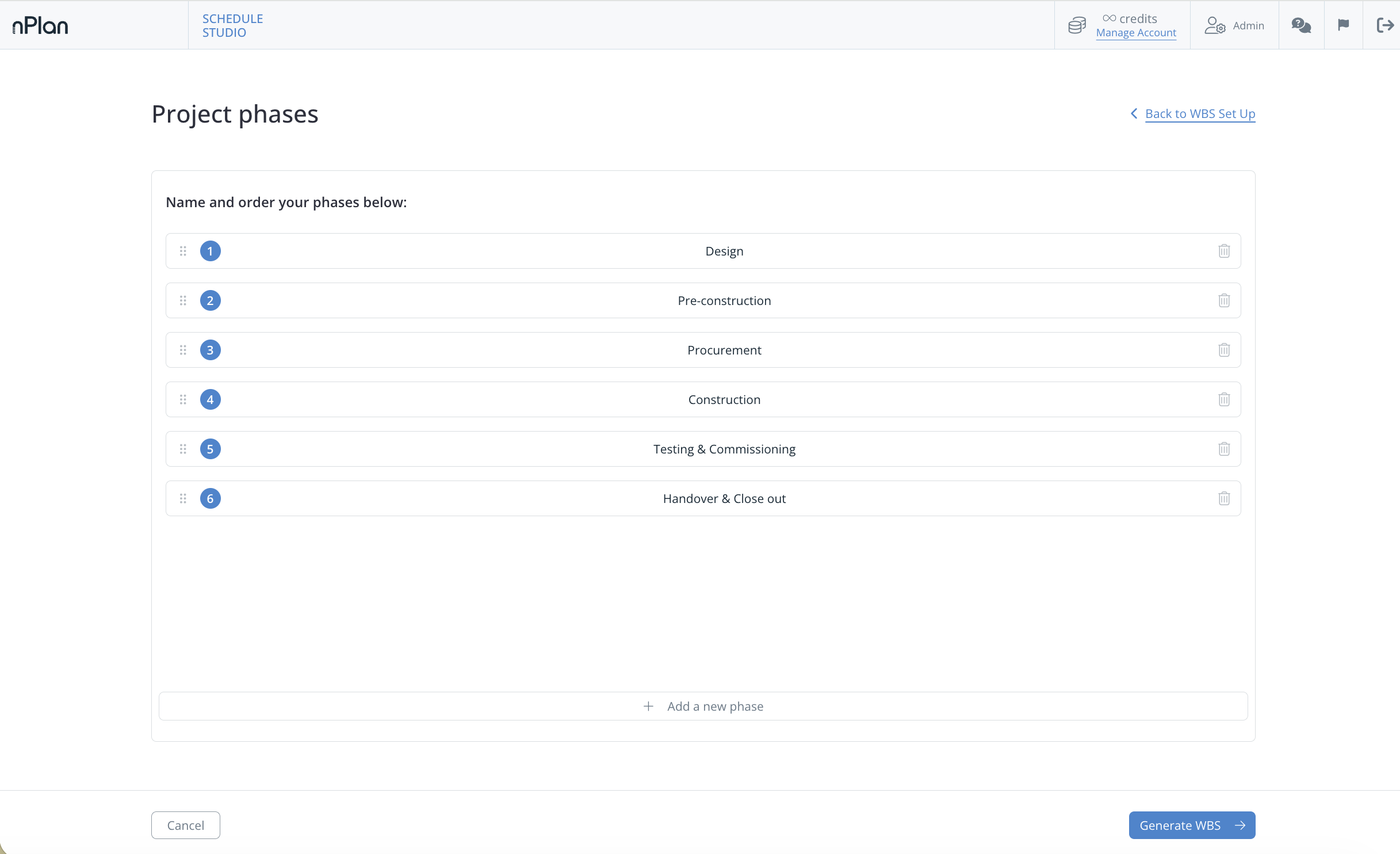
Review and confirm your WBS

0

Set your milestones and generate

0

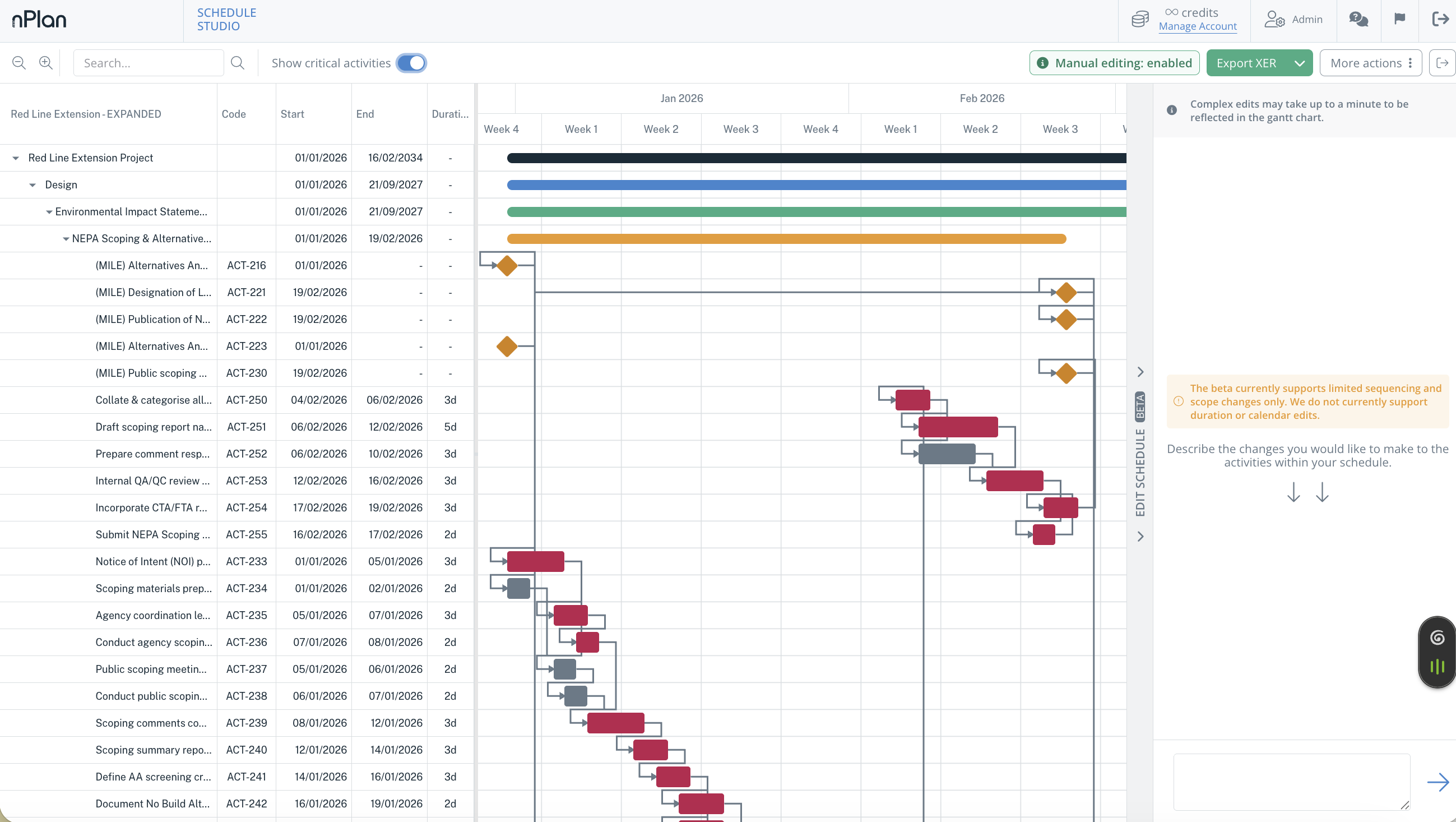
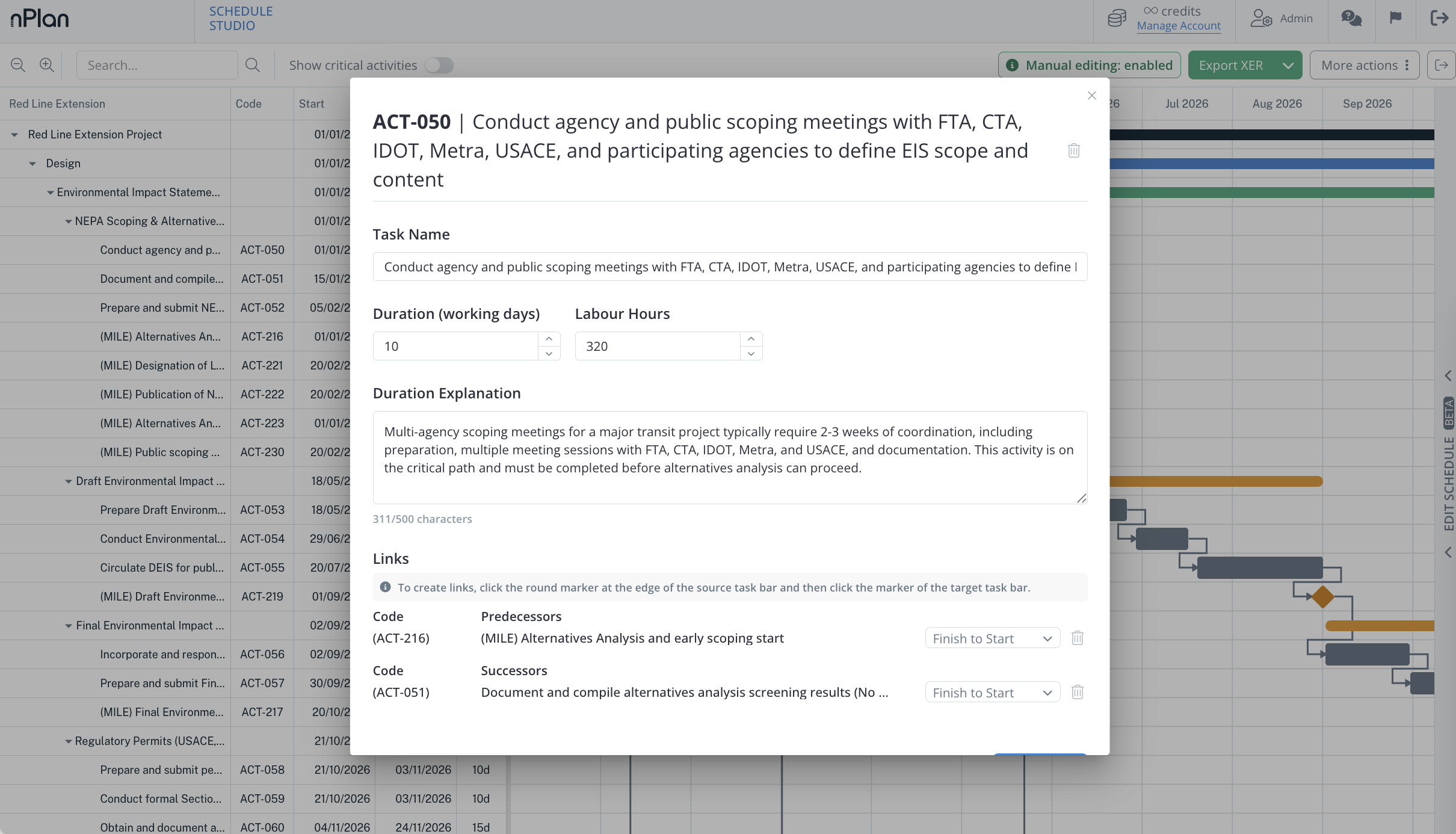
Edit, expand and iterate your schedule

0

Export to P6, MS Project, or PDF

Building a schedule shouldn't take weeks. With Schedule Studio, it doesn't.
No items found.
0

What types of projects does Schedule Studio work for? 

Any construction, engineering or infrastructure project - from early-stage tenders to detailed execution planning

0

How accurate are Schedule Studio outputs? 

Schedule Studio generates a structured first draft based on your inputs and nPlan’s dataset of 750,000+ real world construction schedules. The more context you provide, the better the output. It’s designed to be a starting point to refine, not a finished schedule.

0

‍Can I use an existing schedule as a reference?

Yes - if you already have a schedule, you can upload it before generating. Schedule Studio uses it as context to produce more accurate activity durations and better sequencing from the start.

0

What documents can I upload to Schedule Studio?

Anything related to your project - scope documents, briefs, RFPs. Supported formats include PDF, Word documents, Excel spreadsheets, PowerPoint presentations, images and plain text files. You can also upload existing schedules as reference files in .xer or .xml format.

0

How detailed are the schedules that Schedule Studio generates? 

Schedules can include thousands of activities depending on project complexity, across multiple levels of work breakdown structure.

0

Can I export to P6 or MS Project? 

Yes - export your completed schedule as a .xer file for Primavera P6 or a .xml file for MS Project.

0

Is my project data secure in Schedule Studio?

Schedule Studio is built by nPlan, which holds ISO 27001 certification and is SOC 2 compliant. If your organisation has specific security requirements such as SSO or multi-user team access, select your requirements in the form and we’ll make sure the right setup is in place.

0

What happens after I submit the form?

A member of our team will be in touch within 1 business day to understand your needs and find the right option for you.