Schedule Studio
Stop building construction schedules from a blank page.
Schedule Studio's purpose-built AI turns your scope documents into a logic‑linked first draft, with WBS, activity durations and labour hours. Put your expertise into refining your schedule, then export directly to P6 or MS Project.
No credit card required.
ISO 27001 certified
·
SOC 2 compliant
·
Cyber Essentials
GraphGen
The world-first generative AI model built to create construction schedules
780,000+
Real construction schedules in its training data
Up to 8,000
Activities in a single generated schedule
XER + XML
Export straight to Primavera P6 or MS Project
Trusted by












Project types
Built for how your sector really works
Rail projects are planned around possessions, utilities around outages, and oil and gas around long-lead packages and commissioning. Schedule Studio has learned from more than 780,000 real construction schedules, so your first draft starts from the logic of your sector rather than a generic template.

Highways

Rail

Public buildings

Commercial buildings

Heavy infrastructure

Oil and gas

Utilities

Data centres

Nuclear
When to use Schedule Studio
Start from a draft, whatever stage the project is at
Turn your tender documents into a schedule you can submit with confidence
The schedule you submit at tender becomes the baseline every future claim is measured against, and you rarely get long to build it.
Bidding outside your usual sector?
Schedule Studio draws on 780,000+ real schedules, so you start from one that reflects how those projects actually get built.
1
Upload what's in the tender pack
The invitation to tender or RFP, scope of works, specifications, project brief and draft contract, plus a schedule from a similar job if you have one.
2
Describe the bid
Project type, scale and location, the client's key milestones, and any regulatory, environmental or procurement requirements in the tender.
3
Get a logic-linked first draft
Schedule Studio builds a full WBS with activity durations, labour hours and dependencies, giving you something solid to react to instead of a blank page.
4
Refine it your way
Ask the AI editor in plain language to run activities in parallel, resequence work, restructure the WBS or hold an end date. Prefer to do it yourself? Edit by hand, or export to Primavera P6 or MS Project and finish there.
Build the delivery schedule from the one that won the work
After award, the high-level tender schedule needs the detail your delivery team will actually work to.
You decide how granular it gets
Expand schedules up to 8,000 activities. Expansion breaks existing activities into finer detail within your current WBS, so your structure and scope stay exactly as they were.
1
Bring in your tender schedule and new information
The XER or XML you submitted, along with the signed contract, design information and any updated scope.
2
Expand to the level of detail you need
Break single activities into finer-grained child activities, or expand the whole schedule at once into a new version while your original stays as it was.
3
Set it up for delivery
Apply calendars for working days, hours and regional holidays, and use the AI editor to restructure the WBS or resequence work, then run an integrity check before you baseline.
Record where you are, then test your way back on track
When the project slips, the real question is which recovery option protects the dates that matter.
See exactly what changed between versions
Compare any two schedules to get an executive summary of what's different, plus how the critical path moved and which activities shifted the most.
1
Record actual progress
Mark activities as started, partly complete or finished, or upload progress data in bulk and let Schedule Studio apply it.
2
See what's driving the end date
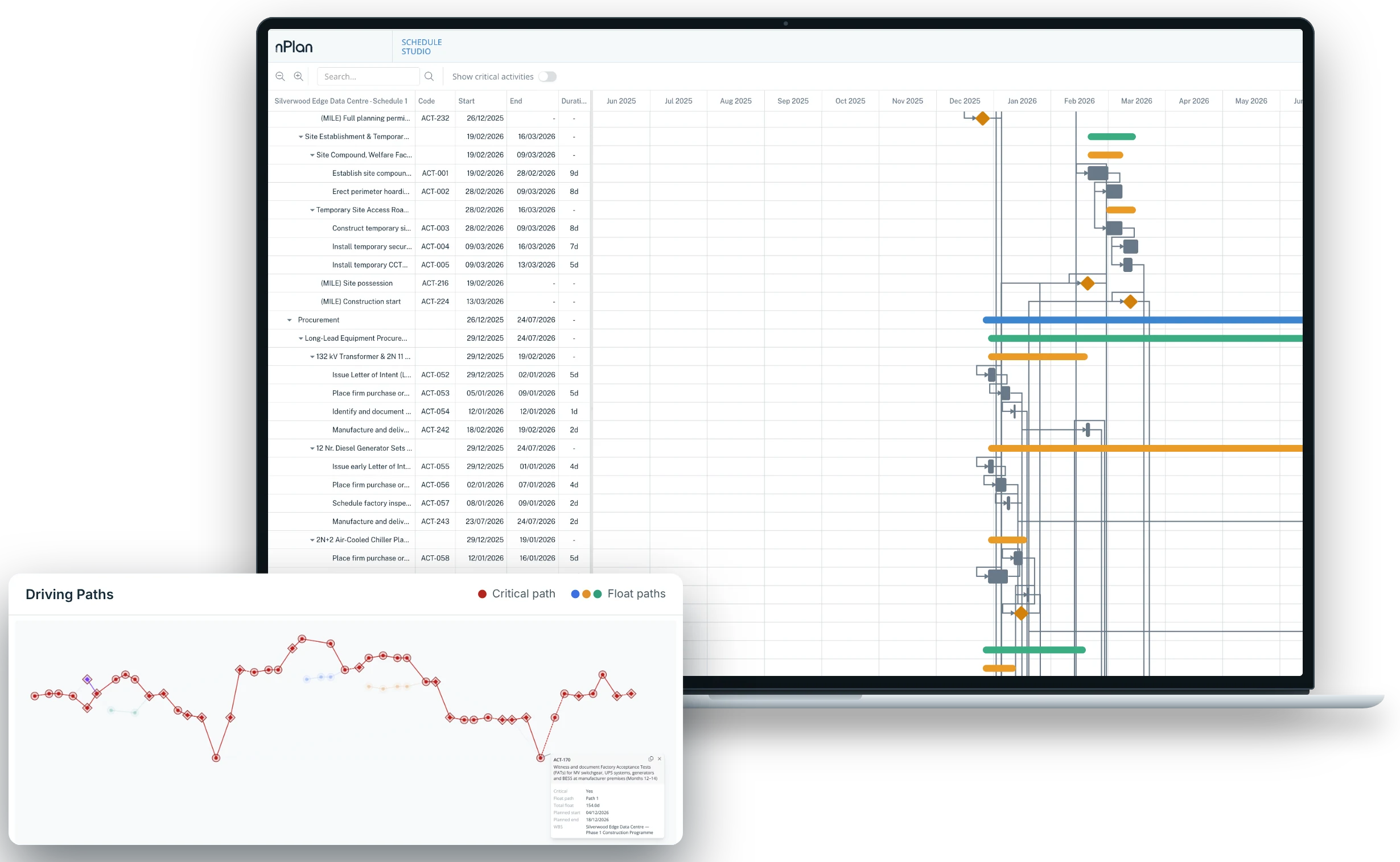
Driving Paths shows the critical path, near-critical sequences and float, so you know where time can genuinely be recovered.
3
Compare recovery options side by side
Ask the AI editor to try different ways of recovering time, such as running design activities in parallel or resequencing a work package, and save each approach as its own variation so you can compare them before you commit.
Who Schedule Studio is for
Designed for planners, wherever they sit
Contractors
For bid teams and project planners
Generate tender schedules from the tender pack instead of a blank page
Expand your tender schedule into a detailed delivery schedule after award
Build recovery options and compare them side by side when a live project slips
Owners and operators
For in-house planning and project controls teams
Explore delivery options before capital is committed
Generate an independent first draft to check contractor schedules against
Upload a reference schedule so drafts follow your organisation's planning standards
Consultants
For planning and project controls advisers
Turn a client's scope documents into a credible first draft
Create your own draft to review a contractor's submission against
Take on schedules in sectors outside your usual specialism
Organisation accounts
Bring your whole planning team into one workspace
An organisation account gives your team a shared space alongside everyone's personal one, with credits billed to the organisation rather than to individuals.
One credit pool
Work done in the organisation space draws from a shared balance, so there's one budget to manage.
Easy onboarding
Invite colleagues by email, or let anyone with your company domain join automatically.
Personal and team spaces
Move projects between your personal and organisation spaces, and filter team projects by owner.
Single sign-on
Sign in through your company's identity provider, backed by ISO 27001 and SOC 2 security.
How Schedule Studio works
Four steps from scope to schedule
1
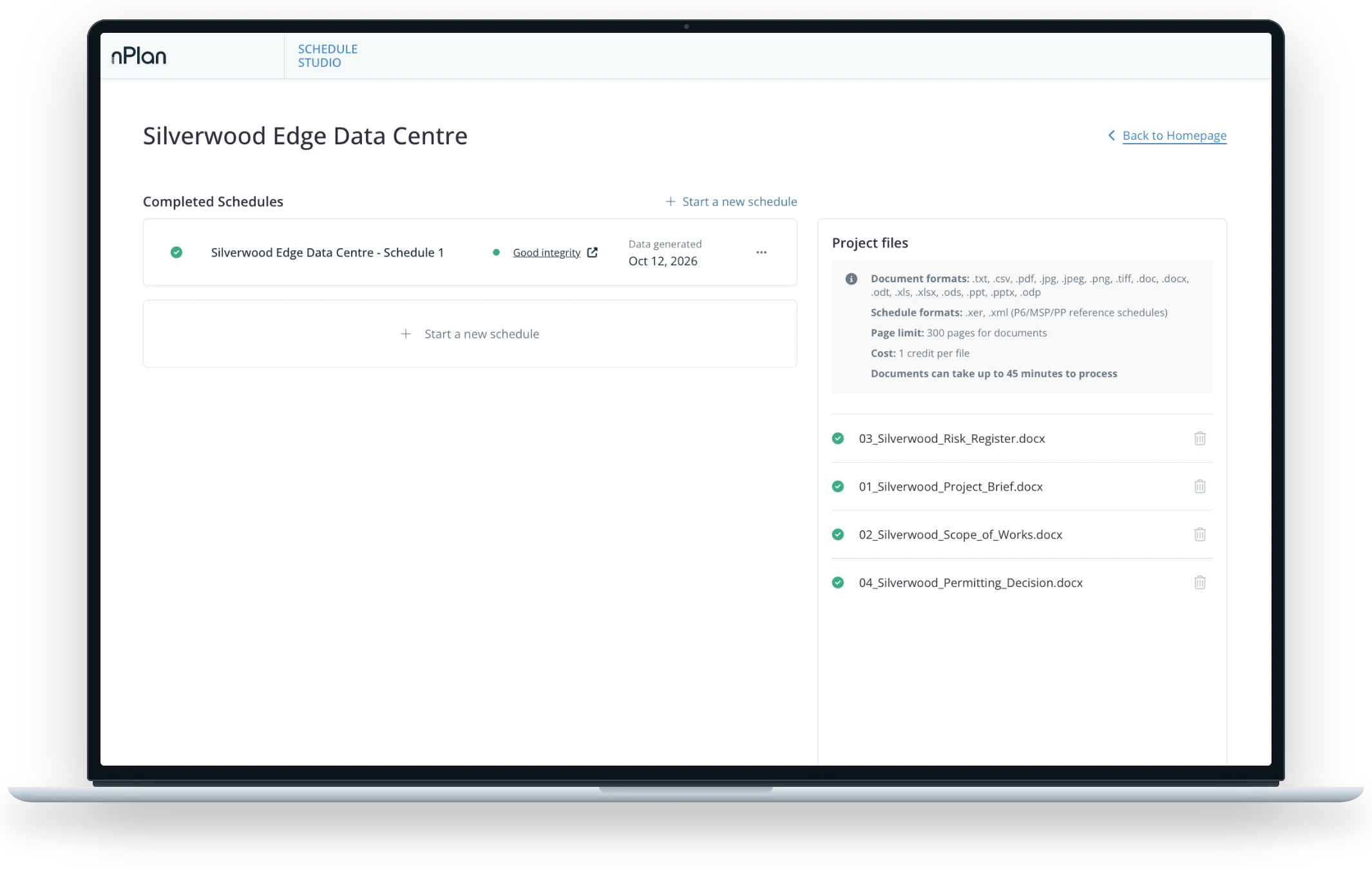
Upload your documents
Scope documents, briefs and RFPs, plus a reference schedule if you have one.
2
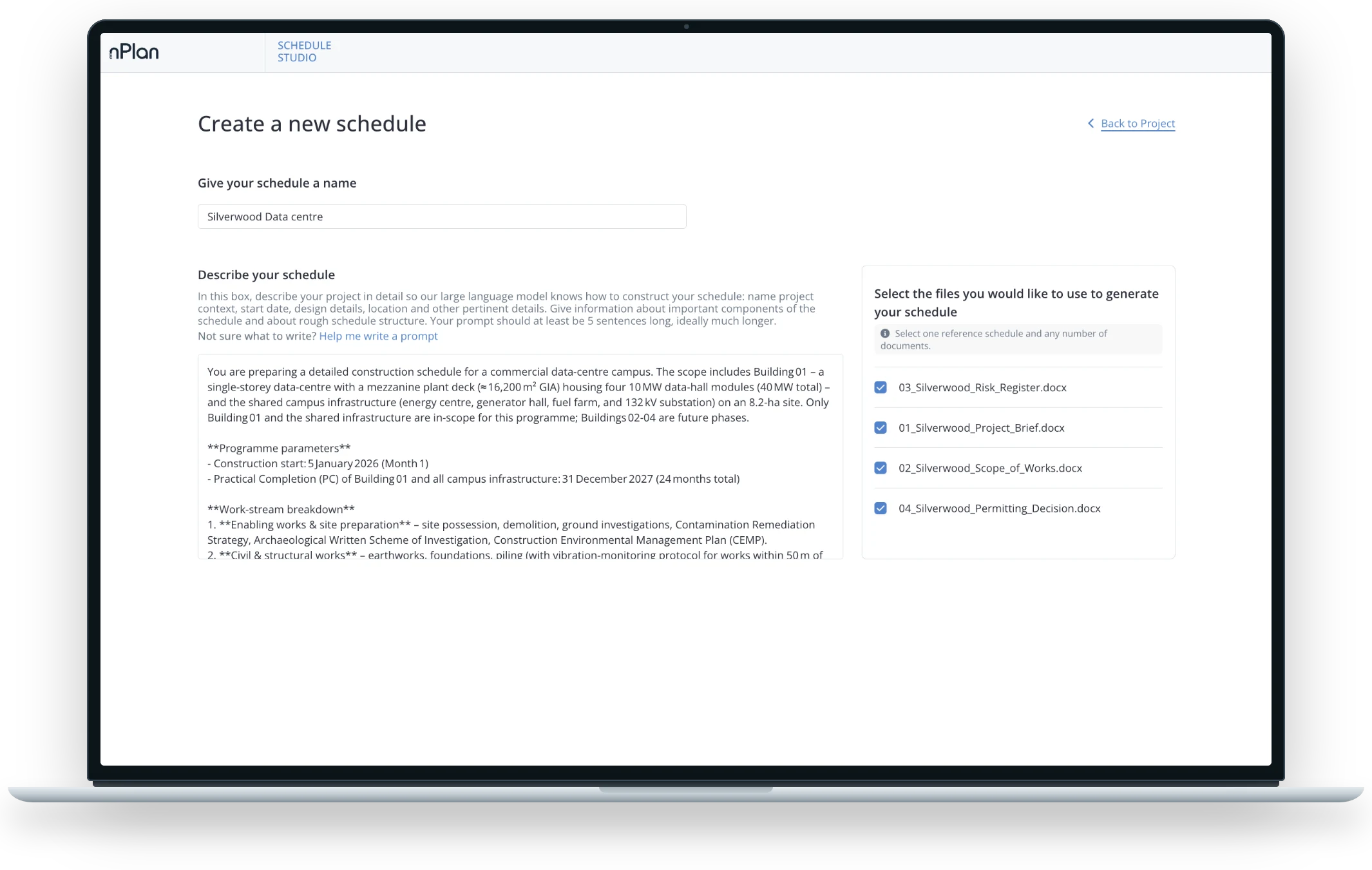
Describe the project
Location, dates, key milestones and constraints. Or let the prompt assistant draft it for you.
3
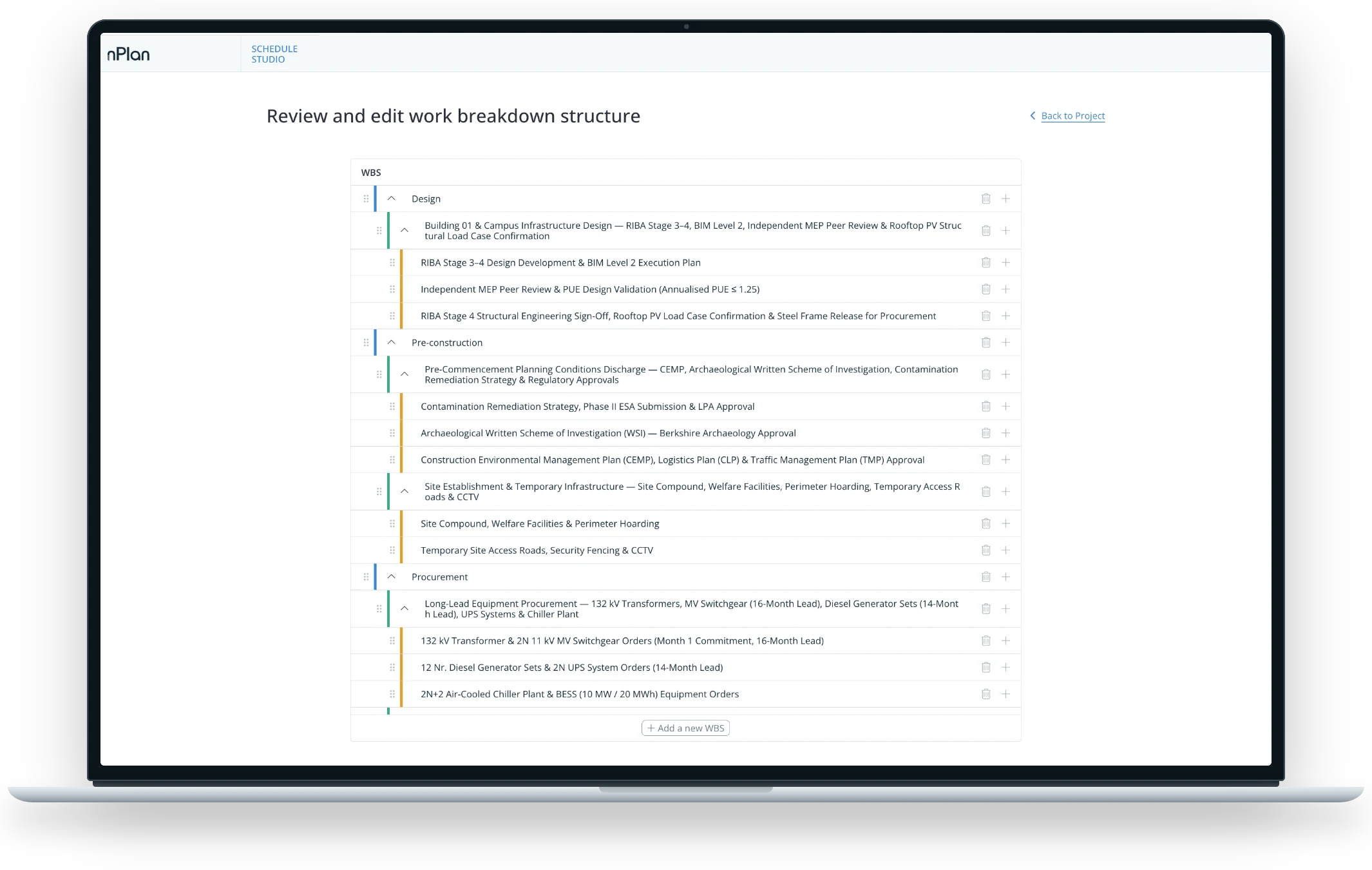
Review the WBS and milestones
Check the structure before anything is generated.
4
Generate, refine, export
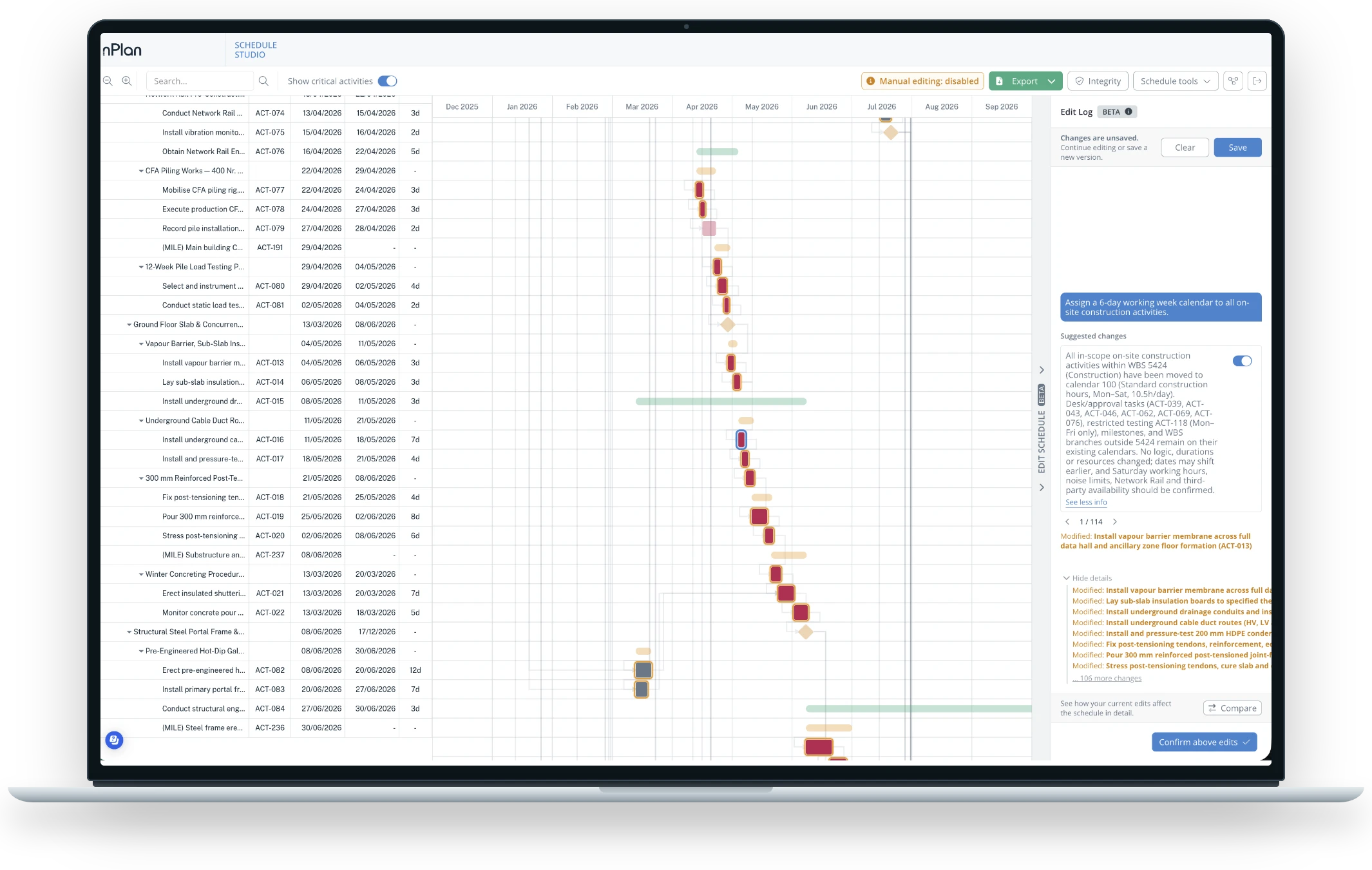
Ask the AI editor for changes in plain English, preview them in the Gantt and apply when you're happy, or edit activities by hand. Then export to P6 or MS Project.
Already have a schedule?
Start from the one you've got
Use it as a reference
Upload a past schedule as XER, XML or PP before you generate. Schedule Studio uses it to shape the WBS, activity durations and sequencing of your new draft.
Or edit it directly
Upload an existing schedule of any size to edit in Schedule Studio, then export it back to P6 or MS Project.
Built to be checked
A first draft you can check, not a black box
Every duration comes with its reason
Open any activity to see its duration, its labour hours and why it has that duration.
Integrity check before you export
Flags missing links, negative float, long durations and constraint issues while they're still easy to fix.
See what drives any date
Driving Paths shows the critical path and the near-critical paths most likely to become critical next, even on late or very large schedules. Pick any activity or milestone as the target, view ranked float paths the way P6 does, and download the graph as an image.
Calendars for where you're building
Local holidays and working patterns are set from the project location. Use the AI editor to build fully custom calendars, then apply them to specific sections of the schedule or the whole thing.
From real projects
Time back on the first draft
40 minutes
for a tender schedule that took two days to build by hand.
Planner, UK project management consultancy
10 minutes
for work that took more than a week by hand.
Planner, UK project controls consultancy
30 minutes
for a Level 2 schedule that took 3 days in their previous tool.
Scheduling lead, US general contractor
Works with your tools
Fits the way your team already works
 MCP
Integrate with the AI assistant you already have
Connect Schedule Studio to Claude, ChatGPT or Copilot and your assistant works through Schedule Studio itself. Every schedule it generates, edits or exports comes from the same AI trained on 780,000+ real construction schedules, rather than a general chatbot guessing at the logic.
How the connector worksExport to the tools you finish in
Take your schedule into Primavera P6 as an XER file, into Microsoft Project as an XML file, or out as a PDF to share with the wider team.
Forecast it with Insights Pro
Send your schedule to Insights Pro, nPlan's forecasting platform, for a P50 and P80 view of when the project is likely to finish.
Explore Insights ProCommon questions
Questions planners ask us
Can't find what you're looking for? Our team can walk you through Schedule Studio on your own project.
Talk to usHow accurate is it?
Schedule Studio gives you a first draft, built from your documents and 780,000+ real construction schedules. Every activity shows the reasoning behind its duration, and built-in integrity checks flag logic issues before you export. The more context you give it, the closer the draft, and you always make the final calls.
How is it different from ChatGPT or Claude?
General AI assistants learn from general text on the internet. Schedule Studio has learned from 780,000+ real construction schedules and has a schedule engine built in, so it calculates the critical path, runs integrity checks and exports straight to P6 and MS Project. You can also connect it to Claude, ChatGPT or Copilot, so your assistant builds schedules through Schedule Studio.
Does it replace P6 or MS Project?
It depends on the schedule you need. For some of our users, yes, it replaces the need to work inside P6 or MS Project. For others, Schedule Studio gets them to a strong first draft quickly, so they can export it as an XER for Primavera P6 or an XML for MS Project and carry on in the tool their team already uses.
How big can schedules get?
You can generate and expand schedules up to 8,000 activities. There's no size limit when you upload an existing schedule to check it.
Can I start from a schedule I already have?
Yes. Upload a P6 (XER or XML) or Asta Powerproject (PP) file and Schedule Studio can use it as a reference, so a new draft follows its WBS, durations and sequencing. You can also upload it to check and edit directly.
What can I upload?
Scope documents, briefs, tender packs and RFPs as PDF, Word, Excel, PowerPoint, images or text, up to 300 pages each.
Where does my data go?
nPlan is ISO 27001:2022 certified, SOC 2 Type II compliant and holds Cyber Essentials, and your data is encrypted in transit and at rest. If your company has specific security requirements, talk to us about an organisation account.
What projects does it work for?
Construction, engineering and infrastructure projects of any type and size, from rail, utilities, energy and nuclear to buildings, oil and gas and data centres.


