We built a link from Schedule Studio to Claude and ChatGPT, and it's really good
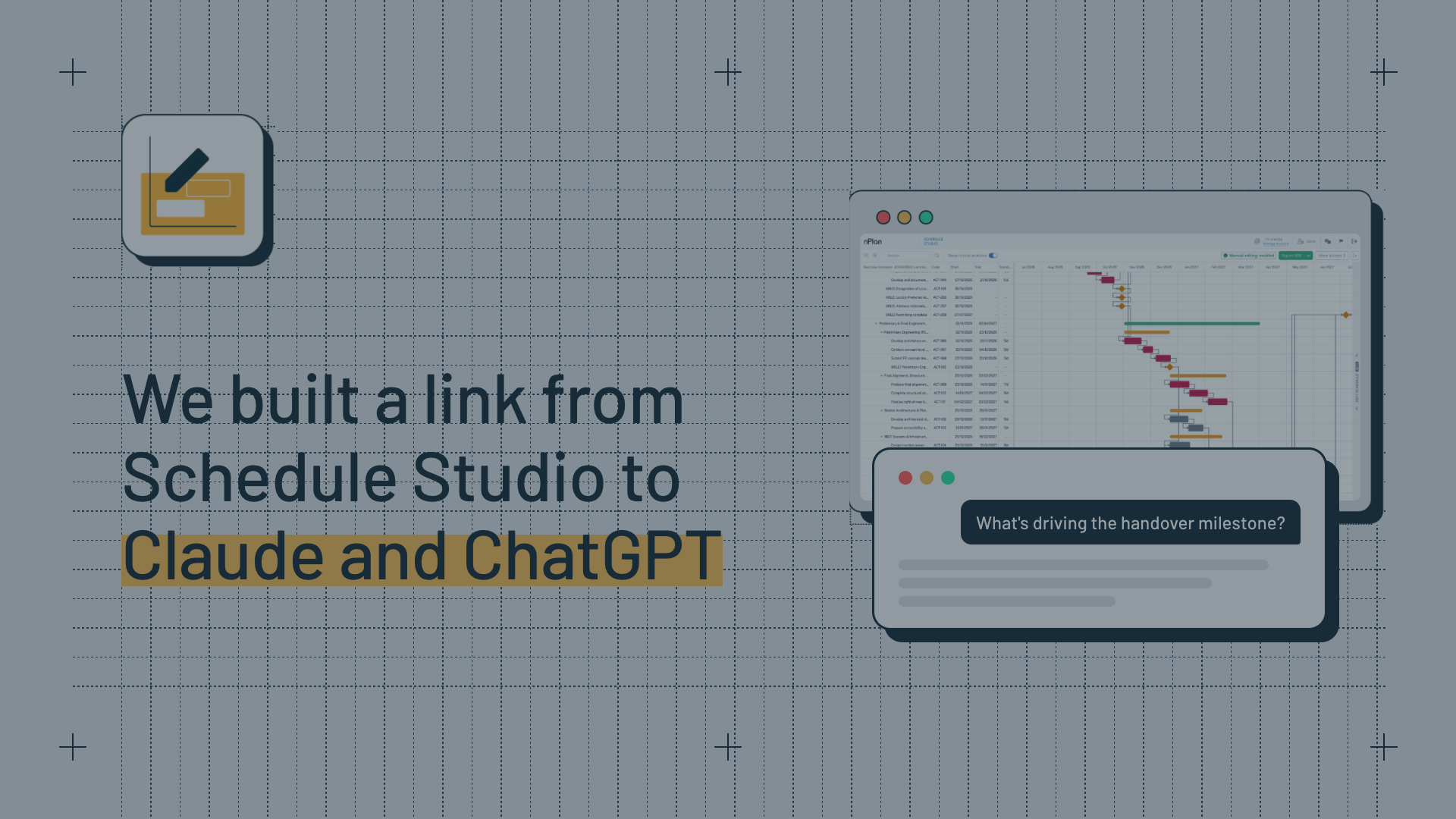
Schedule Studio now connects to Claude and ChatGPT. Ask questions about your schedule, make edits, run health checks and export an updated XER, all from the chat, with every answer coming straight from Schedule Studio.

The short version
Planners get asked a lot of questions about their schedules, and answering them usually means a trip to P6. So, we connected Schedule Studio to Claude and ChatGPT and now you can just ask.
Key takeaways
- Schedule Studio now connects to Claude and ChatGPT, so planners can ask questions about their schedules, make edits, run health checks, compare versions and export an updated XER without leaving the chat
- Every answer comes from Schedule Studio itself - the same critical path, integrity checks, WBS and labour hours you see in the product - not from guesses based on files dropped into a chat
- It fills the gap left by the AI Editor: the AI Editor is built for changing your schedule, while the connector answers questions about it, with no need to export an XER into P6 first
- Setup takes three steps: add a custom connector using the Schedule Studio URL, sign in with your nPlan login, and choose your workspace (you'll need a paid Schedule Studio account and a paid Claude or ChatGPT plan)
- Your schedule data stays protected: the assistant is only able to see what you can already see in Schedule Studio, receiving focused answers rather than whole schedules, and reconnecting every hour
If you're a planner and you use Claude or ChatGPT - stick around. If you're not, this product update probably isn't for you (sorry).
I'll get to why we did this in a minute. First, here's what we actually built.
What we built
Schedule Studio now connects to Claude and ChatGPT. Once it's set up (a small task for you), you can ask it questions about your schedule, like:
- What's driving the handover milestone?
- What's within 5 days of being critical?
- Which activities have no successors?
- What changed between last month's schedule and this one?
- Show me all piling activities longer than 20 days

And it's not just a Q&A tool, you can edit your schedule too ("extend commissioning by two weeks"), run a health check, compare versions, and export the updated schedule as an .xer. Yes, you can do all of this inside Schedule Studio already - but isn't it nice to have options?

The important thing is that all the answers come from Schedule Studio itself - the same critical path, integrity checks, WBS and labour hours you see in the product. In other words, Claude and ChatGPT aren't making guesses based on files you've dropped into the chat.
Why we built it
Schedule Studio is an easy product to use. We know this because we're yet to speak to a user who found it difficult (if you're that user, I want to hear from you - grab some time with me here).
Building construction schedules is not an easy job. Ergo, we made it easier.
That doesn't mean Schedule Studio is perfect. Yes, you can upload your scope documents, write a prompt, generate or upload a WBS, set your milestones and voila, one construction schedule ready to go. (Ok, not exactly 'voila'… documents can take up to 45 minutes to process).
But, let's be realistic: the first schedule you generate isn't going to be your final draft. You're still the expert in the room, you know what looks right and what doesn't, and you probably have really high standards for a schedule (and if you don't, you should), so you're going to want to make changes.
That's why we built the AI Editor. It lives in a panel that slides out on the right of your screen whenever you need it, and you just tell it what you want to change.
Say you're planning a rail project. The station works run on a normal five-day week, but the track works can only happen during weekend possessions, from Saturday night through to Monday morning, and then there's Christmas. Everyone else is off, but that's exactly when you've got a blockade for the track works to run around the clock. You no longer need to build any of those calendars by hand, just ask the AI editor to create them and apply them to the right activities, and it'll do it for you.
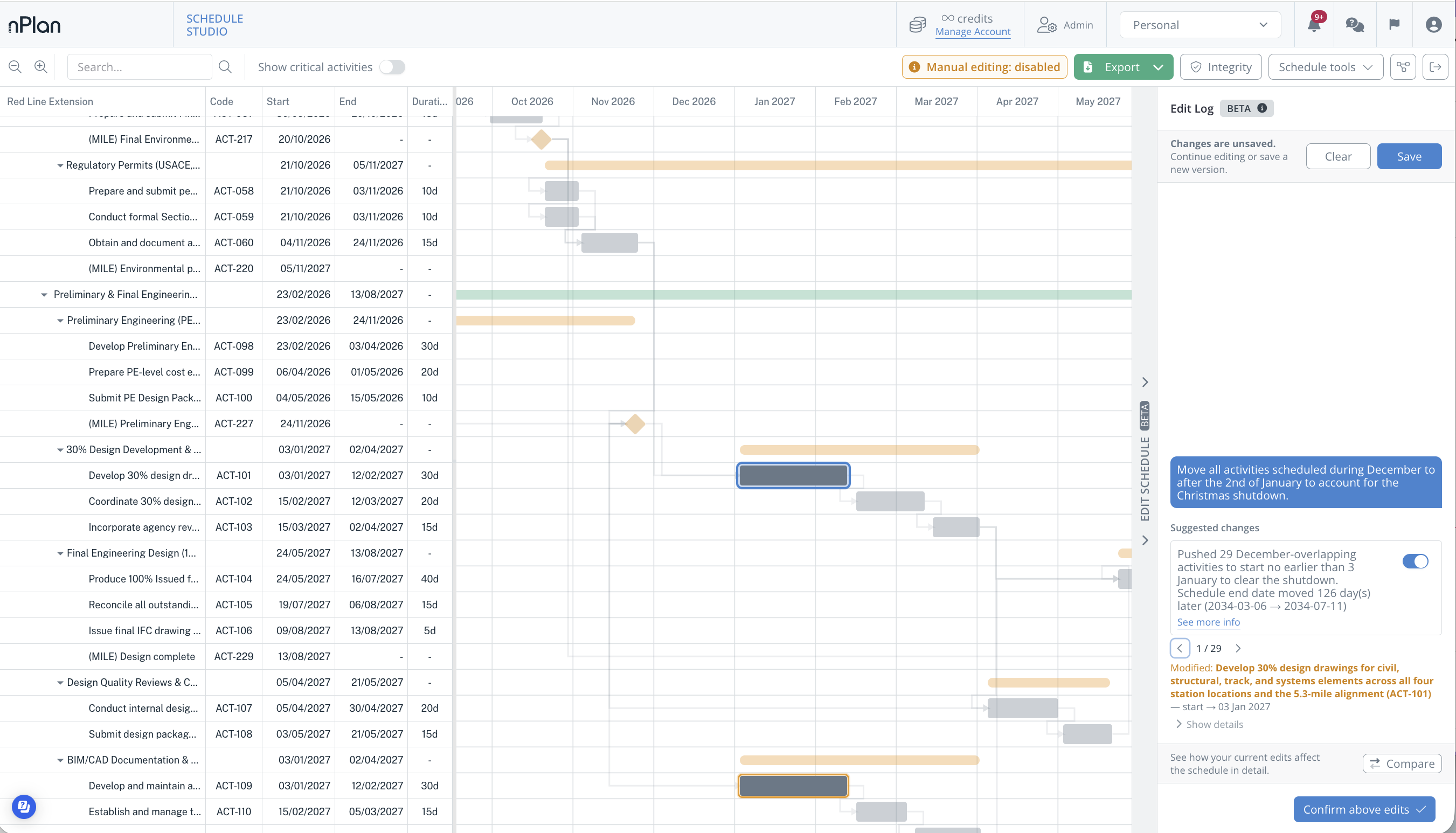
It's not just calendars either, you can parallelise activities, constrain milestones, or even enforce a lag after every concrete pour to allow time for curing. The options aren't endless, but they are pretty extensive.
All this to say: the AI editor is great at changing your schedule, but what it can't do is answer questions about it, and as a planner, you get asked a lot of questions. How many labour hours are in civils? How much float have we got on the M&E package? If the steel delivery slips two weeks, will we hit handover? Right now, answering any of those means exporting an XER into P6 and interrogating the schedule yourself.
So, we connected Schedule Studio to Claude and ChatGPT, and now all you need to do is ask.
How to set it up
You'll need three things:
- Schedule Studio: if you're not already a paid user, fill in this form and we'll get you set up
- A paid Claude or ChatGPT plan (free Claude plans allow users to add one custom connector)
- This URL: https://mcp.schedule-studio.nplan.io/mcp
Then:
- Add a custom connector in Claude or ChatGPT and paste in the URL above
- Sign in with your normal nPlan login
- Choose whether the assistant works in your Personal space or one of your organisations
And that's it.
Oh, and if you want to ask about a schedule you've spent days painstakingly building somewhere else, just upload it to Schedule Studio first and then you're free to ask about it in Claude or ChatGPT.
What about my data?
Good question! If you need to run this by your IT team, here's what they need to know:
- You sign in with your nPlan login, so Claude and ChatGPT never see your nPlan password
- The assistant only sees what you can already see in Schedule Studio for the organisation you pick
- Access expires every hour and renews automatically, and we can revoke a connection for you at any time
- The assistants get focused answers, not whole schedules
For anything about how Anthropic or OpenAI handle your data, check their policies directly:
What's next
In true product update fashion, I'll end this by saying we've got a lot more coming to Schedule Studio and you'll hear about those very soon.
In the meantime, try this out on one of your schedules and tell me what you think. I'll leave a link to my calendar below: