Schedule Analytics vs nPlan
Schedule analytics tools such as SmartPM check schedule health; nPlan forecasts how a project is likely to unfold from past projects. When to use each.
.jpg)
TLDR: For project controls leads and executives comparing schedule analytics platforms such as SmartPM or Nodes & Links with nPlan: schedule analytics tells you whether your schedule is well built and under control, while nPlan forecasts how the project is most likely to unfold, learning from more than 780,000 past project schedules. Major programmes usually need both answers.
If you work in project delivery or project controls, you’ve probably heard about a new generation of schedule analytics platforms, tools like SmartPM and Nodes & Links that sit over your planning system and produce dashboards, KPIs, and health indicators.
To the untrained eye nPlan and these technologies can look similar. They all ingest schedules, they all talk about “risk and insight”, and they all use “AI” somewhere in their stack. But they exist for different reasons, respond to different problems, and offer very different types of value. Our view is that the choice depends on the question you need answered: if you need to know whether your plan is under control, buy analytics; if you answer for whether the key milestones will actually be met, you need a forecast built on how past projects performed.
Insights Pro · Driving Paths
Upload the schedule your analytics dashboard already checks and see which paths are most likely to move your key milestones.
See how Insights Pro worksWhat is the difference between schedule analytics and nPlan?
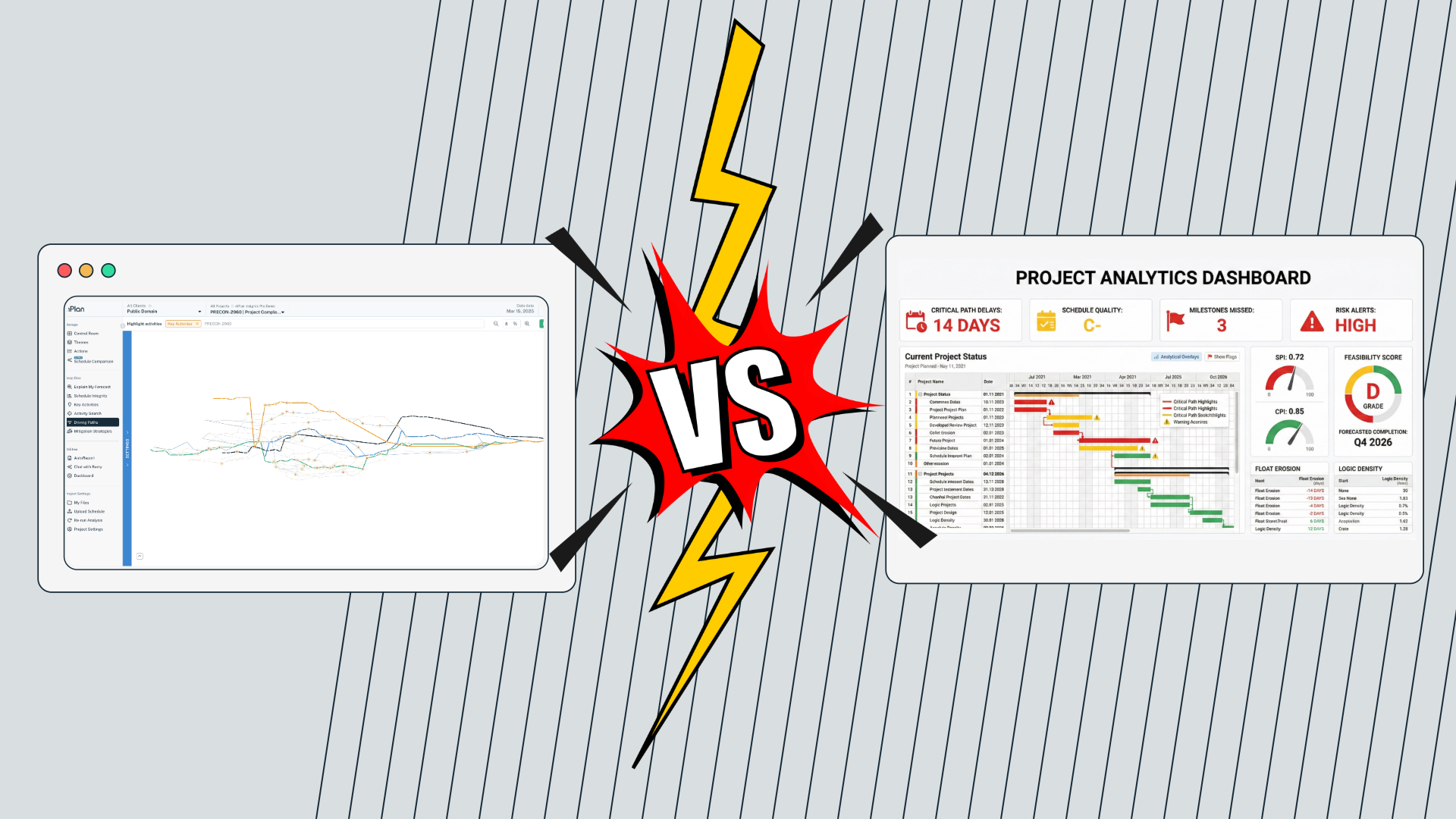
Schedule analytics tools assess whether a schedule is well structured, well maintained and under control, while nPlan forecasts how the project is most likely to unfold, based on how similar work actually performed on past projects. The first describes the plan you have; the second estimates how that plan is likely to perform.
At a high level, the difference can be summarised simply:
Schedule analytics tools ask: “Is this schedule well-structured, well-maintained, and under control?”
nPlan asks: “How is this project most likely to unfold, based on how similar projects actually played out?”
Schedule analytics evolved to improve planning discipline and visibility. nPlan exists because delivery outcomes depend on more than schedule quality alone.
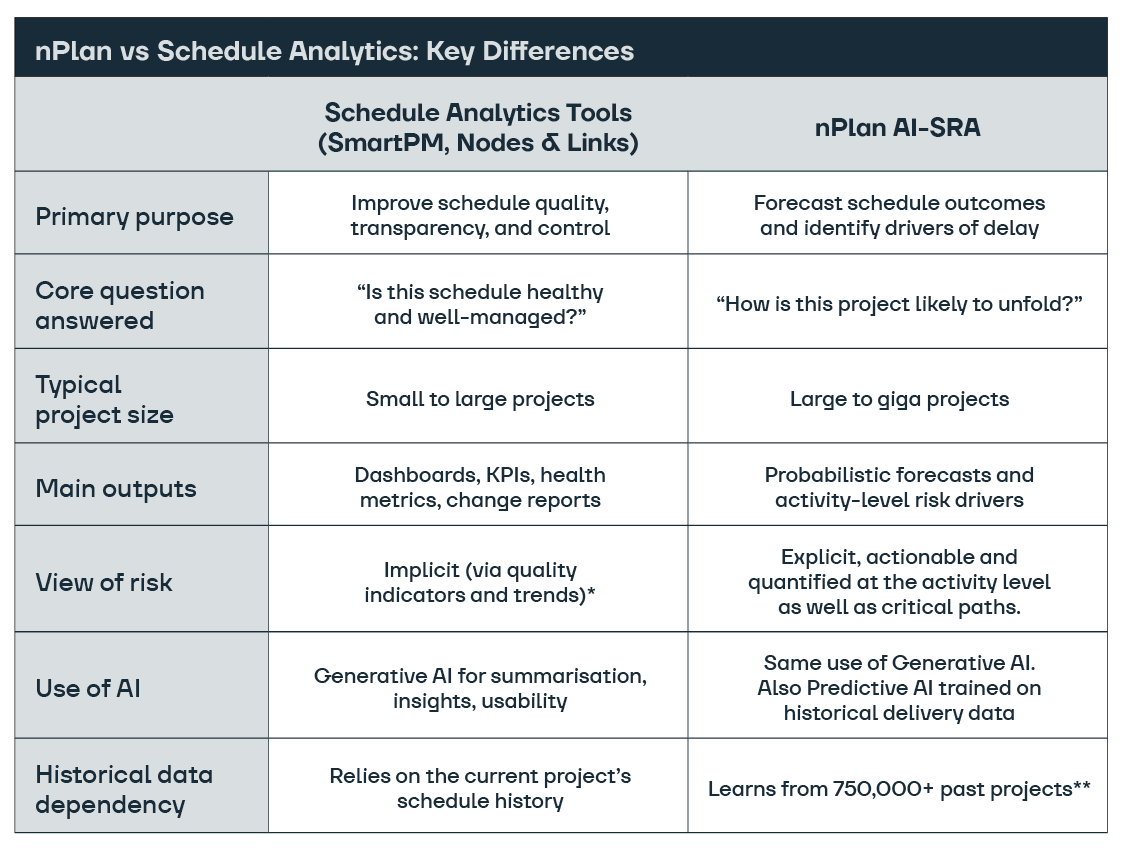
nPlan vs Schedule Analytics: Key Differences
Row by row, the key differences are:
| Question | Schedule analytics tools | nPlan AI-SRA |
|---|---|---|
| Primary purpose | Improve schedule quality, transparency and control | Forecast schedule outcomes and identify drivers of delay |
| Core question | Is this schedule healthy and well managed? | How is this project likely to unfold? |
| Typical project size | Small to large projects | Large to giga projects |
| Main outputs | Dashboards, KPIs, health metrics, change reports | Probabilistic forecasts and activity-level risk drivers |
| View of risk | Implicit, through quality indicators and trends* | Explicit and quantified for activities and critical paths |
| Use of AI | Generative AI for summaries, insights and usability | Generative AI, plus predictive AI trained on past delivery |
| Historical data | The project’s schedule history or the customer’s own past performance | More than 780,000 past project schedules** |
*Nodes & Links does have a QSRA module similar to traditional risk software, so it relies on human risk inputs, and its AI version on the customer's own past performance. Learn more about nPlan vs traditional risk software.
**nPlan’s core dataset for our forecasting engine consists solely of schedules. These are nPlan’s patented forecasting models, built by nERD. But today, depending on the engagement, we ingest additional documents to enhance outputs, such as risk registers, contracts, and cost reports etc.
The sections below explain where each approach earns its place.
How do these tools fit together?
Schedule analytics tools emerged to solve a very practical problem: as projects progress, this progress becomes hard to update, to track, and therefore harder to trust. Logic degrades, constraints accumulate, changes are difficult to track, and leadership loses confidence in whether the plan still reflects reality. Tools like SmartPM and Nodes & Links address this by sitting over the planning system and continuously assessing schedule quality, change, and control. They help teams see whether the schedule is being updated correctly, where structural issues exist, and how the plan is performing against recognised KPIs.
What do SmartPM and Nodes & Links do?
SmartPM and Nodes & Links both check the quality of the schedules you already have, track what changes between updates and report on performance.
- SmartPM says its Controls product automatically checks every baseline and update against critical path method best practices, compares updates to quantify delays, offers forensic delay analysis, and offers what-if modelling. Its Essentials product scans every upload against “40+ industry checks”, and Essentials accepts .xer, .xml, .mpp and .ppx files from Primavera P6, Microsoft Project and Powerproject, according to the SmartPM Essentials page.
- Nodes & Links assesses schedules against the 14 DCMA metrics plus 29 proprietary checks in its Schedule Integrity feature, runs simulations in a QSRA and risk module with its own risk register, analyses delays in its Delay Navigator, and uses generative AI in AI Reports to write summaries from schedule data.
What these tools do not primarily do is forecast delivery outcomes or suggest the most effective ways to realise them. They are designed to describe the schedule as it exists today, highlight quality issues, and explain how it has changed over time. Even where probabilistic outputs are considered, they are driven by human risk inputs and the project's own or the customer's own data. As a result, they offer limited insight into how likely the project is to finish on time, where delays are most likely to emerge, which activities are most likely to drive those delays, or what to do about it.
Both vendors do offer forward-looking features. SmartPM Controls lists “Forecast outcomes based on real progress” among its capabilities, and Nodes & Links says its AI QSRA helps teams “understand the probability of hitting your delivery dates by learning from your historical performance”. The difference lies in where the forecast comes from: the current project’s progress and risk inputs, or the customer’s own past performance, rather than how more than 780,000 past project schedules from across the industry actually performed.
Where does nPlan come in?
This is where nPlan comes in. nPlan was built to answer a different question. Instead of asking whether a schedule is well controlled, it asks how the project is likely to unfold given the schedule's structure and patterns learned from hundreds of thousands of past projects. The schedule becomes an input to a multi-faceted predictive model rather than the object being assessed. By learning from real delivery outcomes across more than 780,000 past project schedules, nPlan produces probabilistic forecasts and identifies the specific activities that matter most to the eventual completion date. The result is not better visibility into the plan, but greater confidence, empirically tested and proven, in what is most likely to happen next.
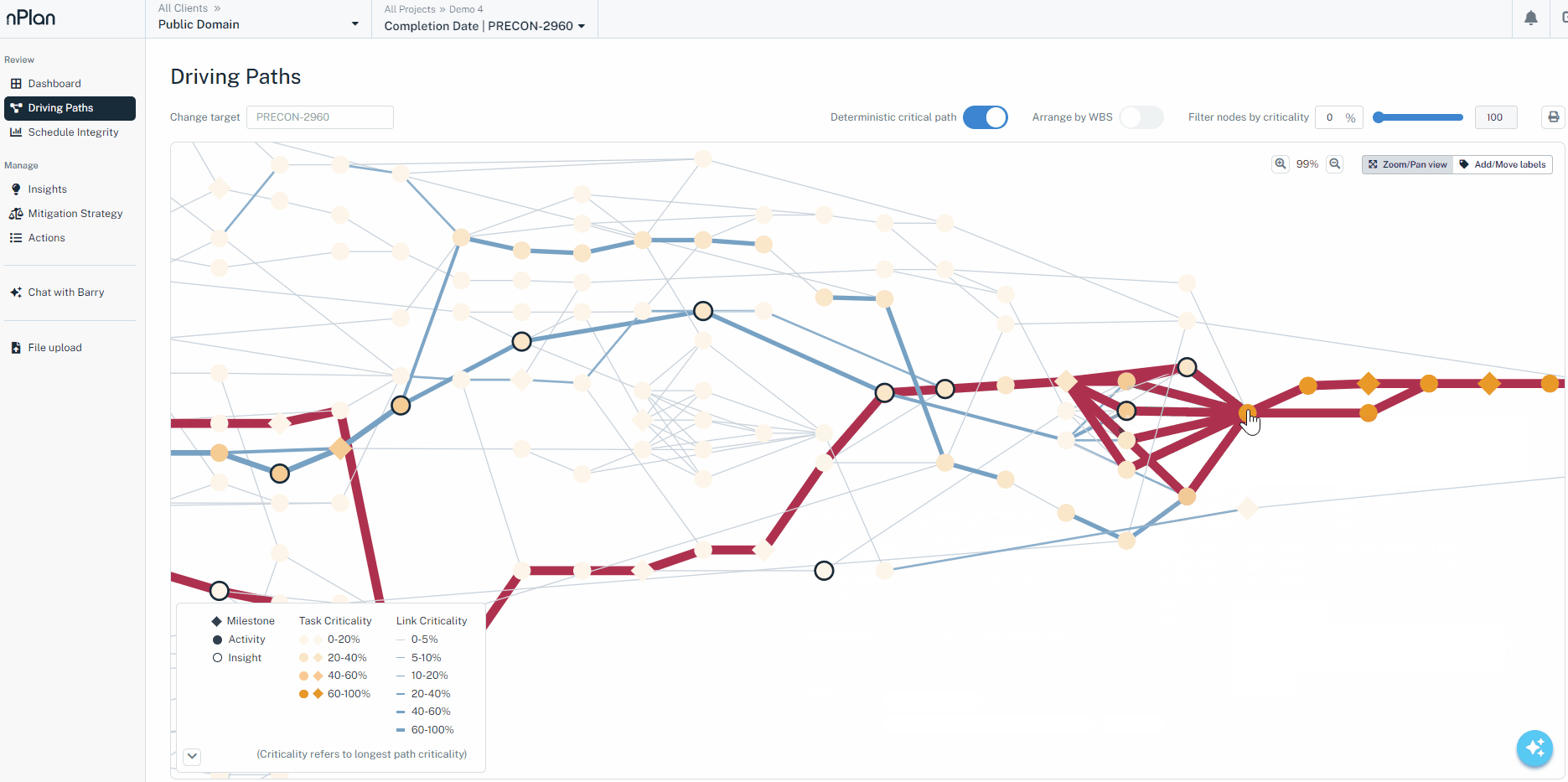
Because we forecast at activity level rather than comparing whole projects, our models do not need a near-identical past project to learn from. With nPlan Insights Pro, we forecast every activity in the schedule you upload from Primavera P6, Asta Powerproject or Microsoft Project, map the driving paths most likely to affect your key milestones, and highlight the activities and themes with the greatest delay-causing potential. Mitigation Strategies then tests scenarios, and Schedule Optimisation, which is included in Insights Pro, finds practical ways to bring a key milestone forward through rephasing, fast-tracking, acceleration or scope deferral, showing the days recovered and the reasoning behind each option.
On LNG Canada, the liquefied natural gas export facility in Kitimat, British Columbia, the project team used nPlan during construction. In the case study on LNG Canada, the project team says: “Using data from thousands of other projects helps highlight areas we (as a project team) may have overlooked and allows us to focus our conversations on the areas that could have the biggest impact.” A forecast like this is an independent view for a project team to test against site conditions, the risk register and its own judgement.
Do schedule analytics tools help you build a new schedule?
Building a schedule is not their main job. Schedule analytics tools are built mainly to analyse schedules that planners have already created, and SmartPM draws that line in its own Essentials FAQ: “Construction scheduling software is used to build schedules from scratch”, while schedule management software analyses the schedules teams have already built and tells you “whether that schedule is realistic, where the risks are hiding, and how the project is tracking against the plan”.
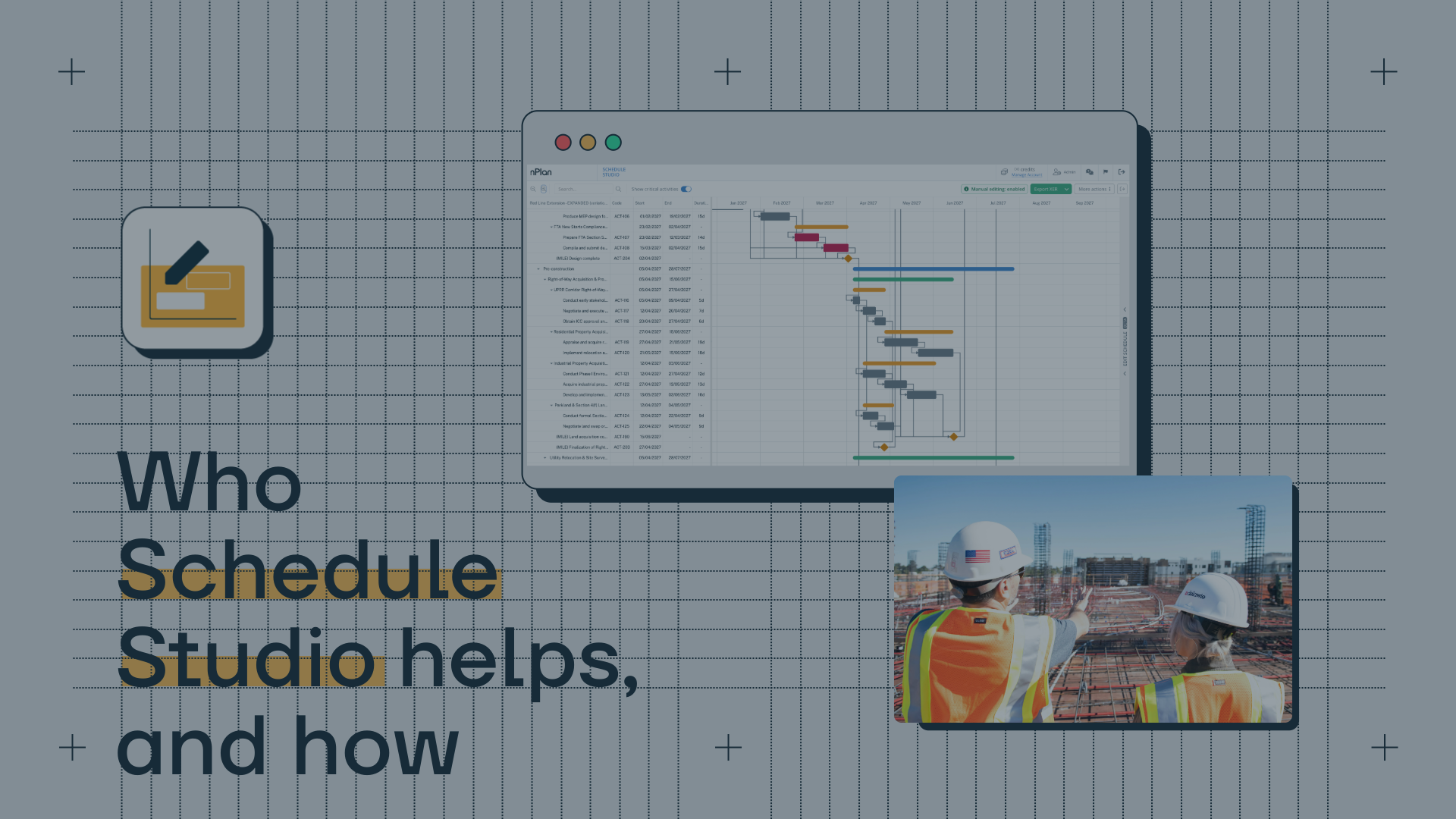
Building the first version is a different job, and it is the one nPlan Schedule Studio does. Schedule Studio turns scope documents, briefs or RFPs into a structured, logic-linked first schedule with a work breakdown structure, durations and a critical path, drawing on durations learnt from our dataset of past project schedules. Planners review and adjust the AI’s assumptions before it generates detail, then export the draft to Primavera P6 to refine. It does not currently produce resource-loaded schedules, so planners still add cost and resource detail themselves. Our article on who Schedule Studio helps, and how covers bid, feasibility and new-sector use in more depth.
Seen across a project’s life, the three jobs follow one another: build a credible first schedule, check that the schedule stays well structured and controlled as it is updated, and forecast how likely its key milestones are to hold. Schedule analytics covers the middle job well. nPlan covers the first and last.
What does “AI” really mean in these tools?
One of the biggest reasons people mix up these tools is that they all use the word “AI”. Any product released after 2025 will include AI. So it’s not really a selling point anymore.
- Schedule analytics platforms increasingly use generative AI to summarise metrics, highlight anomalies, or make dashboards more user-friendly. That can be genuinely useful for planners, especially when preparing reports or explaining trends to stakeholders. nPlan also does this with the help of Barry.
- nPlan uses predictive AI, meaning the model has learned from historical project delivery outcomes to forecast what is most likely to happen next, given the structure and context of your schedule.
A simple API call to GPT with a clever system prompt lets you say your product has AI in it.
The useful test is what the AI has learnt from. Generative AI writes, summarises and answers questions about the data in front of it. Predictive AI is only as useful as the delivery record it was trained on: ours learns from activity durations across more than 780,000 past project schedules, using patented forecasting models built by our research team, nERD. Our generative AI powers Barry, Schedule Studio and Schedule Optimisation.
How should executives think about the choice?
Both schedule analytics tools and predictive schedule risk tools play a role, but they are not usually direct substitutes for one another.
If your organisation is focused on:
- Improving planner productivity
- Monitoring schedule health
- Building governance and early warning dashboards
then schedule analytics platforms are often the best fit.
If your organisation is accountable for delivery outcomes on major programmes where cost, time and strategic risk are material to the business. Then predictive forecasting becomes essential. We typically see AI-SRA flourish in these environments:
- Schedules evolve rapidly
- Risks emerge continually
- Leaders need not just visibility, but confidence in what is most likely to occur
When is a schedule analytics tool the better call?
A schedule analytics tool is the better first purchase when your main problem is the quality and control of the schedules themselves. That includes a portfolio of smaller projects where a consistent health score across every job matters more than a forecast for any one of them, and forensic delay analysis after the fact, where both SmartPM Controls and the Nodes & Links Delay Navigator offer dedicated delay analysis features. If the schedules are not yet sound enough to calculate a date, fix that first, because no forecast can be better than the network it reads.
What changes for UK programmes?
In the UK, public sector appraisal already expects duration estimates to be checked against past performance, not the current plan alone. HM Treasury’s Green Book supplementary guidance on optimism bias says: “Explicit adjustments should therefore be made to the estimates of a project’s costs, benefits and duration, which should be based on data from past or similar projects”. A health check on the current schedule cannot supply that evidence; a forecast learnt from how past projects actually performed can.
On NEC4 contracts, the Project Manager accepts the Contractor’s programme or gives reasons for not accepting it, and one permitted reason under clause 31.3 is that the programme “does not represent the Contractor’s plans realistically”, as Brodies explains. NEC’s own guidance on reasons for non-acceptance confirms that a reason must always be given, and that withholding acceptance for a reason listed in clause 31.3 is not a compensation event. Analytics helps show whether the programme is well built; a forecast helps show whether it is realistic.
What changes for US programmes?
In the US, federal schedule reviews separate the health check from the confidence check. The GAO Schedule Assessment Guide describes the Defense Contract Management Agency’s 14-Point Assessment as “a collection of measures intended to assess the technical structure of the schedule as well as the contractor’s ability to plan and execute work”, and notes that its thresholds “are not compliance triggers”. The same GAO page records that schedule risk analyses “are not included as part of the EVMS guidelines”, so DCMA does not assess whether one was performed unless the contract requires it.
GAO treats that confidence check as a best practice in its own right. Its Best Practice 8 describes a schedule risk analysis that uses a statistical simulation “to predict the level of confidence in meeting a program’s completion date”. A schedule can pass every 14-point metric and still carry a low chance of meeting its date, which is why US owners and contractors on major programmes need both views.
Do you need schedule analytics, nPlan or both?
Schedule analytics platforms and predictive schedule risk tools both sit above the planning system, but they do not answer the same question.
- Analytics tools help you understand and control the plan you have.
- Predictive risk analysis helps you understand how the plan is likely to perform.
One looks backwards. The other looks forward.
In modern capital programmes, both perspectives matter. It’s just important to know which problem you’re solving at any given time.
Schedule Studio · First draft schedules
Starting a bid or a new project? Turn your scope documents into a logic-linked first schedule your planners can refine and export to P6.
Try Schedule StudioFrequently asked questions
Is nPlan a schedule analytics tool?
No. nPlan is an AI platform for project controls and delivery. Schedule analytics tools assess the quality and control of the schedule you have, while nPlan Insights Pro forecasts how likely your key milestones are to be met and which activities are most likely to delay them, learning from more than 780,000 past project schedules.
Can SmartPM or Nodes & Links forecast a completion date?
Yes, within limits. SmartPM says it forecasts outcomes based on the project’s real progress and offers what-if modelling, and Nodes & Links runs QSRA simulations, with AI that it says learns from the customer’s own historical performance. Both forecasts rest on the project’s or the customer’s own data and inputs, whereas nPlan’s forecast draws on more than 780,000 past project schedules from across the industry.
Does nPlan check schedule quality as well?
Yes, as a supporting feature. Insights Core includes schedule integrity checks alongside its forecasts, and Insights Pro contains everything in Insights Core. The main job of both is forecasting, so teams that only need ongoing schedule health monitoring may be better served by a dedicated analytics tool.
Do I need both schedule analytics and nPlan?
On major programmes, often yes. Analytics keeps the schedule well structured and controlled through each update, and nPlan tells leaders how likely the dates in that schedule are to hold. On smaller projects where schedule discipline is the main gap, an analytics tool alone may be enough.
Can nPlan build a schedule from scratch?
Yes. Schedule Studio turns scope documents into a logic-linked first schedule with a work breakdown structure, durations and a critical path, which planners review and export to Primavera P6. It does not currently create resource-loaded schedules, and the planner’s review remains essential.
Sources
- SmartPM, Controls product page
- SmartPM, Essentials product page and FAQ
- Nodes & Links, Delay Navigator feature page
- Nodes & Links Education Hub, How does our AI QSRA work?
- Nodes & Links, Schedule Integrity feature page
- Nodes & Links, QSRA and Risk Management feature page
- Nodes & Links, AI Reports feature page
- GAO Schedule Assessment Guide (GAO-16-89G), DOD Defense Contract Management Agency
- GAO Schedule Assessment Guide (GAO-16-89G), Best Practice 8: Conducting a Schedule Risk Analysis
- HM Treasury, Green Book supplementary guidance: optimism bias
- Brodies LLP, On what grounds can a Project Manager reject a programme submitted for acceptance by a Contractor?, May 2021
- NEC Contracts, FAQ: categorising reasons for non-acceptance
- nPlan, LNG Canada case study
- nPlan Insights Pro
- nPlan Schedule Studio
- nPlan, Our AI
- nPlan, Traditional risk software vs nPlan
- nPlan, Who Schedule Studio helps, and how